
Spring Cloud Microservices Beginner Tutorial (1): Microservices Introduction Spring Cloud Microservices Beginner Tutorial (2): Service Registration and Discovery — Eureka Spring Cloud Microservices Beginner Tutorial (3): Service Registration Spring Cloud Microservices Beginner Tutorial (4): Inter-service Invocation — FeignClient Spring Cloud Microservices Beginner Tutorial (5): Centralized Config — ConfigService Spring Cloud Microservices Beginner Tutorial (6): Spring Cloud BUS Message Bus for Dynamic Config Refresh Spring Cloud Microservices Beginner Tutorial (7): Spring Cloud Stream Message-driven Microservices Spring Cloud Microservices Beginner Tutorial (8): Spring Cloud Zuul API Gateway Dynamic Routing, Cookie Passing, and CORS Spring Cloud Microservices Beginner Tutorial (9): Zuul Gateway Integrating Swagger2 for Auto-generated RESTful API Docs Spring Cloud Microservices Beginner Tutorial (10): Spring Cloud Hystrix Circuit Breaking and Service Degradation Spring Cloud Microservices Beginner Tutorial (11): Spring Cloud Sleuth + Zipkin Service Tracing and Link Monitoring Spring Cloud Microservices Beginner Tutorial (12): Spring Cloud Docker Containerized Deployment
Code will be shared at https://github.com/NeilRen/SpringCloudDemo, with different branches for different chapters; the Master branch contains the final combined content. This chapter’s code is at: https://github.com/NeilRen/SpringCloudDemo/tree/feature/spring-cloud-stream
Original This article is original, author: Ren Fei. Please cite the author and source when reposting.
The previous section, “Spring Cloud Microservices Beginner Tutorial (6): Spring Cloud BUS Message Bus for Dynamic Config Refresh,” already installed the RabbitMQ message queue and implemented the Spring Cloud Bus message bus. This section introduces Spring Cloud Stream message-driven microservices. You can use RabbitMQ, Apache Kafka, etc., for asynchronous message passing and receiving between microservices.
Let’s first plan how we’ll do it; jumping straight to code might be a bit hard to follow. What we want is for DemoClient to send a message to DemoService and put it into the message queue, then DemoService receives the message and replies to DemoClient. Let me share my personal understanding of Spring Cloud Stream: messages are divided into many channels; you can subscribe to a channel or send to a channel, so you need to know the channel name. I defined them centrally in the API Center, which is an architecture I designed myself, not part of microservices. Since we already configured RabbitMQ in the previous section, I won’t repeat the RabbitMQ config here.
Modify the POM files of the apicenter, demoservice, and democlient microservices, adding the spring-cloud-starter-stream-rabbit dependency, for example:
<?xml version="1.0" encoding="UTF-8"?>
<project xmlns="http://maven.apache.org/POM/4.0.0"
         xmlns:xsi="http://www.w3.org/2001/XMLSchema-instance"
         xsi:schemaLocation="http://maven.apache.org/POM/4.0.0 http://maven.apache.org/xsd/maven-4.0.0.xsd">
    <parent>
        <artifactId>cloud</artifactId>
        <groupId>net.renfei</groupId>
        <version>1.0.0</version>
    </parent>
    <modelVersion>4.0.0</modelVersion>
    <groupId>net.renfei</groupId>
    <artifactId>apicenter</artifactId>
    <version>1.0.0</version>
    <name>APICenter</name>
    <description>API Center</description>
    <dependencies>
        <dependency>
            <groupId>org.springframework.boot</groupId>
            <artifactId>spring-boot-starter-web</artifactId>
        </dependency>
        <dependency>
            <groupId>org.springframework.cloud</groupId>
            <artifactId>spring-cloud-starter-stream-rabbit</artifactId>
        </dependency>
    </dependencies>
</project>
Modify the Config File on Remote Git
Modify application.yml on the remote Git, including the config for democlient and demoservice; add:
spring:
  stream:
    bindings:
      demoServiceMQ:
        group: demo
        content-type: application/json
      demoClientMQ:
        group: demo
        content-type: application/json
The names after bindings are our channel names; they are custom. group after that is the consumer group, which prevents messages from being consumed repeatedly. A microservice may start multiple instance groups, and the consumer group ensures only one member in each group receives the message. content-type tells the framework to store the object as JSON, which makes it convenient to inspect the object’s content in the message queue and eases debugging.
Add Channel Names in the API Center
In apicenter, add an interface net.renfei.apicenter.message.MQChannel to standardize and expose the channel names of all microservices:
package net.renfei.apicenter.message;

/**
 * Message queue channel names
 *
 * @author RenFei
 */
public interface MQChannel {
    String DEMOSERVICE = "demoServiceMQ";
    String DEMOCLIENT = "demoClientMQ";
}
Message Receiver
In the demoservice module, add net.renfei.demoservice.message.DemoServiceMessageClient as the receiving client:
package net.renfei.demoservice.message;

import net.renfei.apicenter.message.MQChannel;
import org.springframework.cloud.stream.annotation.Input;
import org.springframework.messaging.SubscribableChannel;

public interface DemoServiceMessageClient {
    @Input(MQChannel.DEMOSERVICE)
    SubscribableChannel input();
}
In the demoservice module, add net.renfei.demoservice.message.DemoClientMessageClient as the sending client:
package net.renfei.demoservice.message;

import org.springframework.cloud.stream.annotation.Output;
import org.springframework.messaging.MessageChannel;

public interface DemoClientMessageClient {
    @Output
    MessageChannel output();
}
In the demoservice module, add net.renfei.demoservice.message.DemoServiceReceiver as the message listener:
package net.renfei.demoservice.message;

import lombok.extern.slf4j.Slf4j;
import net.renfei.apicenter.message.MQChannel;
import org.springframework.cloud.stream.annotation.EnableBinding;
import org.springframework.cloud.stream.annotation.StreamListener;
import org.springframework.messaging.handler.annotation.SendTo;
import org.springframework.stereotype.Component;

/**
 * Server-side message queue listener
 *
 * @author RenFei
 */
@Slf4j
@Component
@EnableBinding({DemoServiceMessageClient.class, DemoClientMessageClient.class})
public class DemoServiceReceiver {
    @StreamListener(MQChannel.DEMOSERVICE)
    @SendTo(MQChannel.DEMOCLIENT)
    public String process(Object message) {
        log.info("Messages received by the DemoService:{}", message);
        return "This is DemoServiceReceiver's reply";
    }
}
Message Sender
In democlient, add net.renfei.democlient.message.DemoClientMessageClient as the message receiving client:
package net.renfei.democlient.message;

import net.renfei.apicenter.message.MQChannel;
import org.springframework.cloud.stream.annotation.Input;
import org.springframework.cloud.stream.annotation.Output;
import org.springframework.messaging.MessageChannel;
import org.springframework.messaging.SubscribableChannel;

public interface DemoClientMessageClient {
    @Input(MQChannel.DEMOCLIENT)
    SubscribableChannel input();
}
In democlient, add net.renfei.democlient.message.DemoServiceMessageClient as the message sender:
package net.renfei.democlient.message;

import net.renfei.apicenter.message.MQChannel;
import org.springframework.cloud.stream.annotation.Output;
import org.springframework.messaging.MessageChannel;

/**
 * MQ channel client for DemoService
 *
 * @author RenFei
 */
public interface DemoServiceMessageClient {
    @Output(MQChannel.DEMOSERVICE)
    MessageChannel output();
}
In democlient, add net.renfei.democlient.controller.SendMessageController as the trigger entry for sending messages:
package net.renfei.democlient.controller;

import net.renfei.democlient.message.DemoServiceMessageClient;
import org.springframework.beans.factory.annotation.Autowired;
import org.springframework.messaging.support.MessageBuilder;
import org.springframework.web.bind.annotation.GetMapping;
import org.springframework.web.bind.annotation.RestController;

@RestController
public class SendMessageController {
    @Autowired
    private DemoServiceMessageClient demoServiceMessageClient;

    @GetMapping("/sendMessage")
    public void sendMessage(){
        demoServiceMessageClient.output().send(
                MessageBuilder.withPayload("This is a message from democlient").build()
        );
    }
}
Run and Test
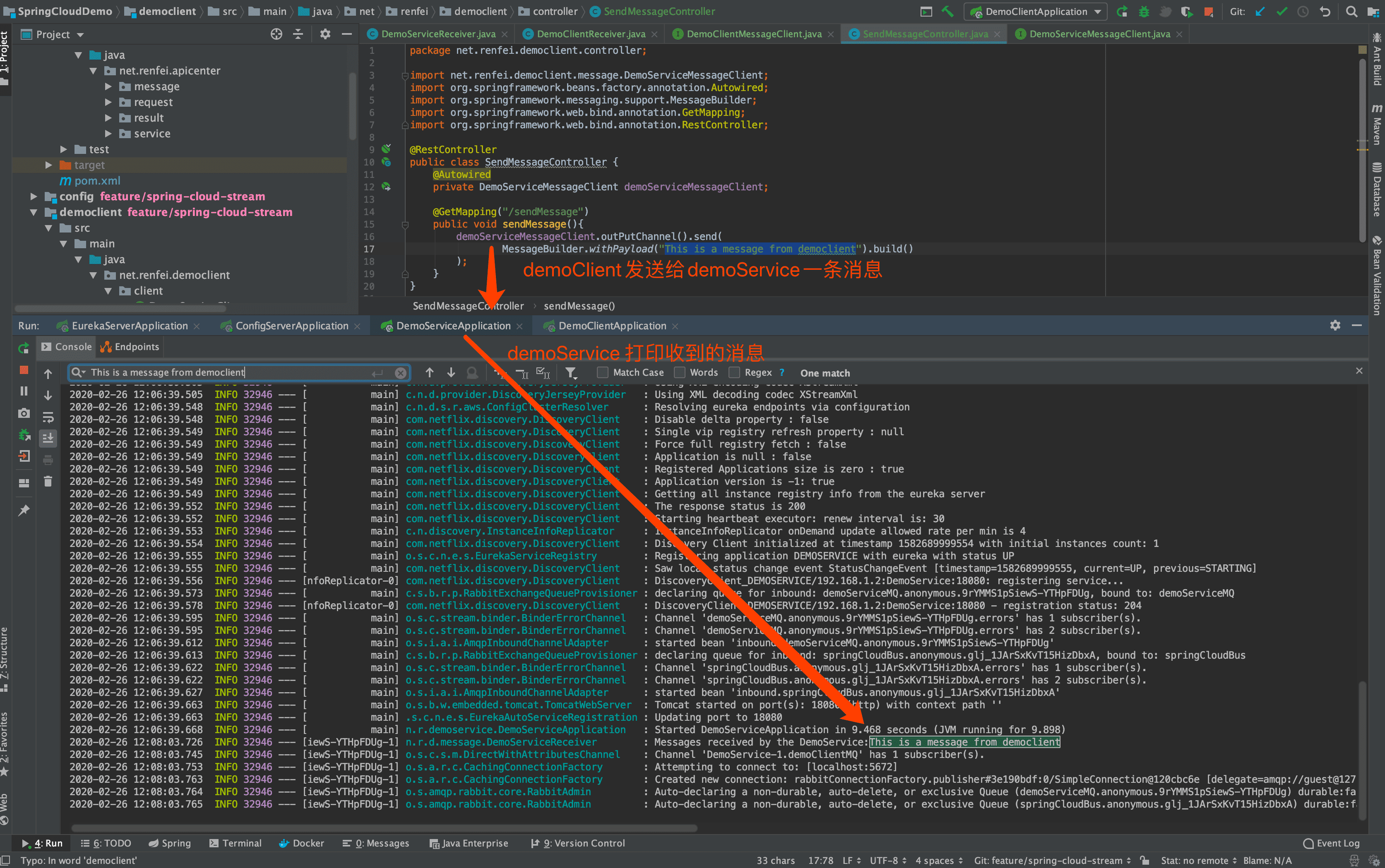
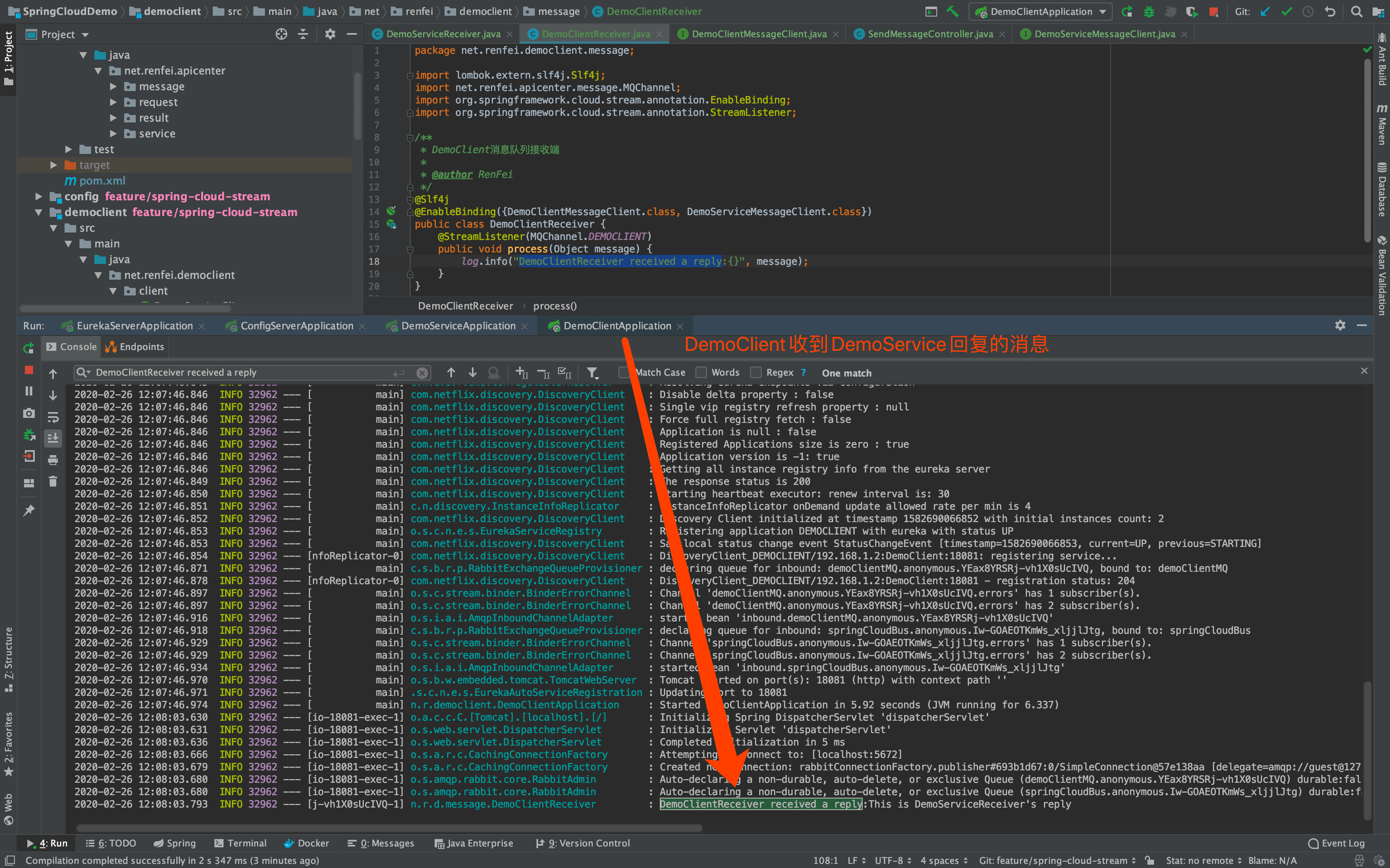
First start the registry eureka, then the config center, then the demoservice service, and finally democlient. Access the DemoClientMessageClient we created to trigger message sending; the demo system address is: http://localhost:18081/sendMessage
Summary
The code is done; let me summarize. @Input SubscribableChannel is a subscription channel, used to receive messages; @Output MessageChannel is used to send messages. This decouples applications and reduces dependencies. A classic scenario is sending SMS: the core business doesn’t need to wait for the SMS interface’s result — it just sends a message to the SMS service and moves on, and the SMS service executes the send tasks one by one after receiving the message.