Spring Cloud Microservices Beginner Tutorial (1): Microservices Introduction Spring Cloud Microservices Beginner Tutorial (2): Service Registration and Discovery — Eureka Spring Cloud Microservices Beginner Tutorial (3): Service Registration Spring Cloud Microservices Beginner Tutorial (4): Inter-service Invocation — FeignClient Spring Cloud Microservices Beginner Tutorial (5): Centralized Config — ConfigService Spring Cloud Microservices Beginner Tutorial (6): Spring Cloud BUS Message Bus for Dynamic Config Refresh Spring Cloud Microservices Beginner Tutorial (7): Spring Cloud Stream Message-driven Microservices Spring Cloud Microservices Beginner Tutorial (8): Spring Cloud Zuul API Gateway Dynamic Routing, Cookie Passing, and CORS Spring Cloud Microservices Beginner Tutorial (9): Zuul Gateway Integrating Swagger2 for Auto-generated RESTful API Docs Spring Cloud Microservices Beginner Tutorial (10): Spring Cloud Hystrix Circuit Breaking and Service Degradation Spring Cloud Microservices Beginner Tutorial (11): Spring Cloud Sleuth + Zipkin Service Tracing and Link Monitoring Spring Cloud Microservices Beginner Tutorial (12): Spring Cloud Docker Containerized Deployment
Code will be shared at https://github.com/NeilRen/SpringCloudDemo, with different branches for different chapters; the Master branch contains the final combined content. This chapter’s code is at: https://github.com/NeilRen/SpringCloudDemo/tree/feature/demo-client
Original This article is original, author: Ren Fei. Please cite the author and source when reposting.
In the previous section “Spring Cloud Microservices Beginner Tutorial (3): Service Registration” we covered service registration. This section is about calls between services — acting as a service consumer to consume other services — and using FeignClient to call other services quickly and efficiently.
Create a New Service Consumer Module
Create a module named “democlient” as the consumer that calls the service provided by “demoservice”. How to create a module is covered in the previous section; the code is also on GitHub, so I won’t repeat it here and will only focus on what’s new. “democlient” needs one more dependency than the previous “demoservice”: spring-cloud-starter-openfeign. The POM is:
<?xml version="1.0" encoding="UTF-8"?>
<project xmlns="http://maven.apache.org/POM/4.0.0"
         xmlns:xsi="http://www.w3.org/2001/XMLSchema-instance"
         xsi:schemaLocation="http://maven.apache.org/POM/4.0.0 http://maven.apache.org/xsd/maven-4.0.0.xsd">
    <parent>
        <artifactId>cloud</artifactId>
        <groupId>net.renfei</groupId>
        <version>1.0.0</version>
    </parent>
    <modelVersion>4.0.0</modelVersion>
    <groupId>net.renfei</groupId>
    <artifactId>democlient</artifactId>
    <version>1.0.0</version>
    <name>demo-client</name>
    <description>Demo Service</description>
    <dependencies>
        <dependency>
            <groupId>org.springframework.cloud</groupId>
            <artifactId>spring-cloud-starter-netflix-eureka-client</artifactId>
        </dependency>
        <dependency>
            <groupId>org.springframework.boot</groupId>
            <artifactId>spring-boot-starter-web</artifactId>
        </dependency>
        <dependency>
            <groupId>net.renfei</groupId>
            <artifactId>apicenter</artifactId>
            <version>1.0.0</version>
        </dependency>
        <dependency>
            <groupId>org.springframework.cloud</groupId>
            <artifactId>spring-cloud-starter-openfeign</artifactId>
        </dependency>
    </dependencies>
    <build>
        <plugins>
            <plugin>
                <groupId>org.springframework.boot</groupId>
                <artifactId>spring-boot-maven-plugin</artifactId>
            </plugin>
        </plugins>
    </build>
</project>
About This Feign
First, the OpenFeign we use is Spring Cloud’s support for Spring MVC annotations (such as @RequestMapping) on top of Feign. OpenFeign’s @FeignClient can parse interfaces annotated with Spring MVC’s @RequestMapping and, via dynamic proxy, generate an implementation class that does load balancing and calls other services.
Feign is a lightweight RESTful HTTP service client in the Spring Cloud component family, with Ribbon built in, used for client-side load balancing to call services in the service registry.
In the “democlient” module, create a package net.renfei.democlient.client, then create an interface inside it that extends net.renfei.apicenter.service.DemoService and add the @FeignClient(name = “DemoService”) annotation. Here name = “DemoService” is the application.name of the service provider; FeignClient will look for the service provider in the registry. The code:
package net.renfei.democlient.client;

import net.renfei.apicenter.service.DemoService;
import org.springframework.cloud.openfeign.FeignClient;

@FeignClient(name = "DemoService")
public interface DemoServiceClient extends DemoService {
}
In the “democlient” module, create a package net.renfei.demoservice.controller, then create a class inside it: DemoClientController, to consume the service provided by DemoService. The code:
package net.renfei.democlient.controller;

import net.renfei.apicenter.request.DemoRquest;
import net.renfei.apicenter.result.Result;
import net.renfei.democlient.client.DemoServiceClient;
import org.springframework.beans.factory.annotation.Autowired;
import org.springframework.web.bind.annotation.GetMapping;
import org.springframework.web.bind.annotation.RestController;

@RestController
public class DemoClientController {
    @Autowired
    private DemoServiceClient demoServiceClient;

    @GetMapping("/")
    public String getDemoService() {
        DemoRquest demoRquest = new DemoRquest();
        demoRquest.setMsg("This DemoRquest.Msg From DemoClientController.");
        Result result = demoServiceClient.sayMsg(demoRquest);
        return "You're visiting DemoClient. Call DemoService:{" + result.getMessage() + "}";
    }
}
Test Results
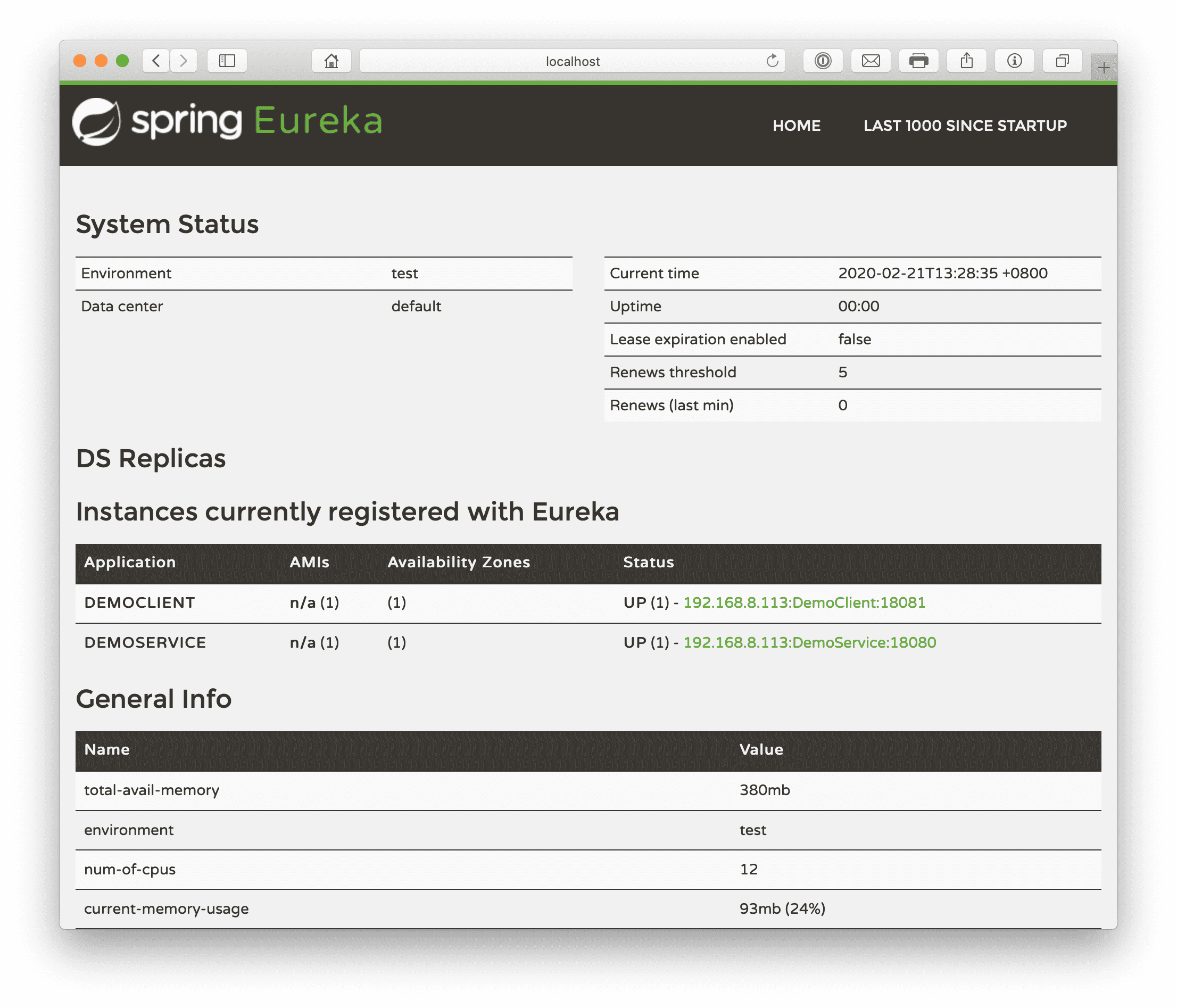
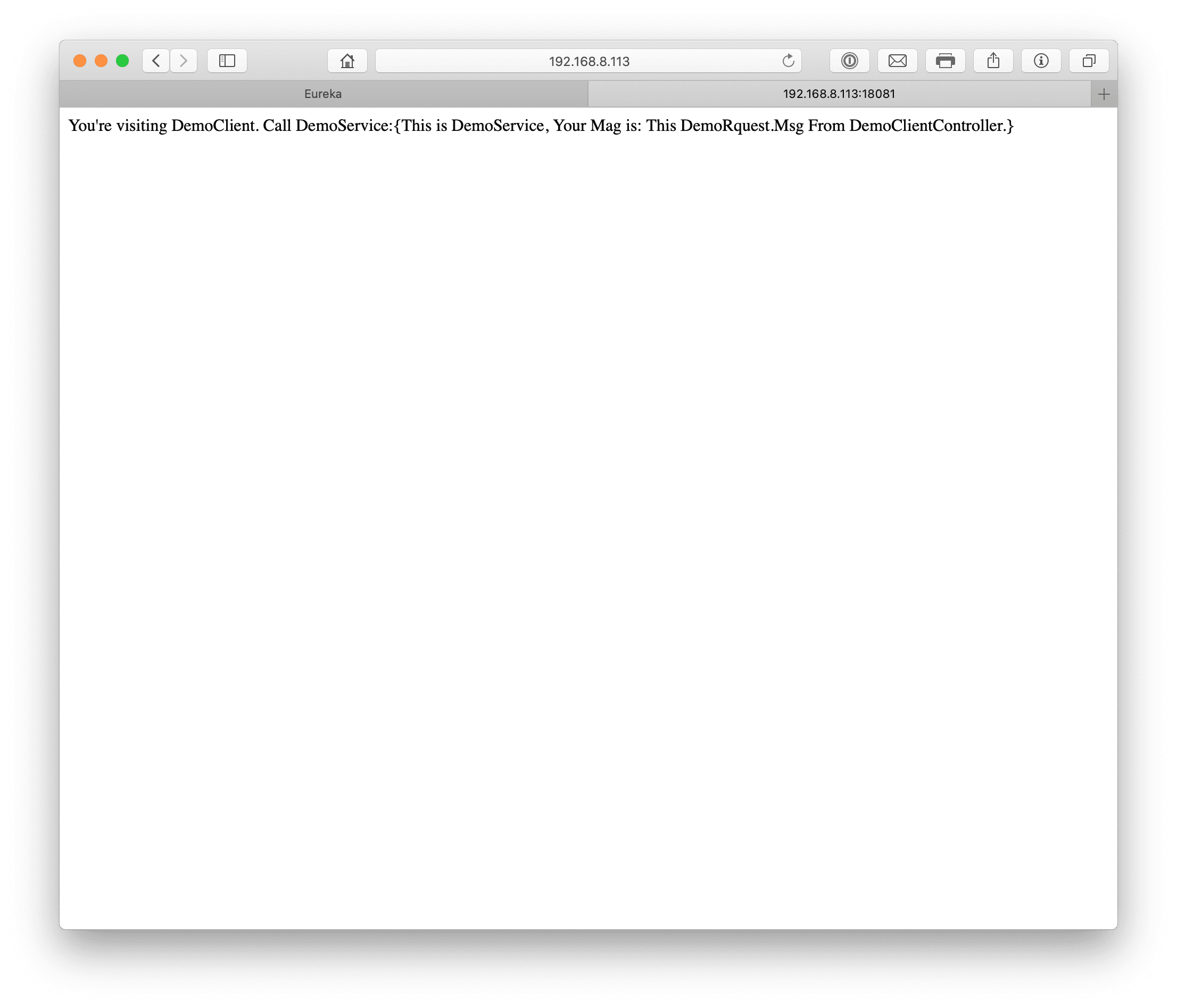
With this, a service consumer is built. Let’s test our microservices. There is an order: start the eureka registry first, then the demoservice provider, and finally the democlient consumer. Open the registry and you’ll see two registered services. Visit the democlient consumer address; in my example it’s: http://192.168.8.113:18081. You’ll see returned: “You’re visiting DemoClient. Call DemoService:{This is DemoService, Your Mag is: This DemoRquest.Msg From DemoClientController.}”, which means we successfully passed the message to the demoservice provider and got the result back from it.
Other Issues
If you see the democlient consumer error “com.netflix.client.ClientException: Load balancer does not have available server for client: DemoService”, try restarting the democlient consumer. The reason is that the demoservice provider may not have registered yet when you accessed the consumer; because registration is heartbeat-based with a frequency rather than instant, the consumer couldn’t find the provider in the registry. In my example this error occurred because the provider had just started and hadn’t registered yet when I accessed the consumer.