Spring Cloud Microservices Beginner Tutorial (1): Microservices Introduction Spring Cloud Microservices Beginner Tutorial (2): Service Registration and Discovery — Eureka Spring Cloud Microservices Beginner Tutorial (3): Service Registration Spring Cloud Microservices Beginner Tutorial (4): Inter-service Invocation — FeignClient Spring Cloud Microservices Beginner Tutorial (5): Centralized Config — ConfigService Spring Cloud Microservices Beginner Tutorial (6): Spring Cloud BUS Message Bus for Dynamic Config Refresh Spring Cloud Microservices Beginner Tutorial (7): Spring Cloud Stream Message-driven Microservices Spring Cloud Microservices Beginner Tutorial (8): Spring Cloud Zuul API Gateway Dynamic Routing, Cookie Passing, and CORS Spring Cloud Microservices Beginner Tutorial (9): Zuul Gateway Integrating Swagger2 for Auto-generated RESTful API Docs Spring Cloud Microservices Beginner Tutorial (10): Spring Cloud Hystrix Circuit Breaking and Service Degradation Spring Cloud Microservices Beginner Tutorial (11): Spring Cloud Sleuth + Zipkin Service Tracing and Link Monitoring Spring Cloud Microservices Beginner Tutorial (12): Spring Cloud Docker Containerized Deployment
Code will be shared at https://github.com/NeilRen/SpringCloudDemo, with different branches for different chapters; the Master branch contains the final combined content. This chapter’s code is at: https://github.com/NeilRen/SpringCloudDemo/tree/feature/spring-cloud-bus
Original This article is original, author: Ren Fei. Please cite the author and source when reposting.
In the previous section we covered “Spring Cloud Microservices Beginner Tutorial (5): Centralized Config — ConfigService”, which implemented unified config management. At the end I mentioned that config is only pulled automatically after a restart, so this section explains using the Spring Cloud BUS message bus to automatically update config files, which lets the application hot-reload config without a restart.
Required Environment
Before starting, we need some required environment: RabbitMQ, which provides the message queue service. RabbitMQ is open-source message broker software (also a message-oriented middleware) that implements the Advanced Message Queuing Protocol (AMQP). Installation is very simple, whether locally or via Docker. Since this article discusses the Spring Cloud microservices architecture, I won’t repeat RabbitMQ installation — it’s very simple; the download address is: https://www.rabbitmq.com/download.html
From this section onward, everything depends on the RabbitMQ message queue.
Refactor the Config Center and the Services That Need Config Updates
First, we take the config center as an example; other services that need dynamic config update are modified the same way. First we modify the POM file and add a dependency: spring-cloud-starter-bus-amqp. For example, the config center’s POM:
<?xml version="1.0" encoding="UTF-8"?>
<project xmlns="http://maven.apache.org/POM/4.0.0"
         xmlns:xsi="http://www.w3.org/2001/XMLSchema-instance"
         xsi:schemaLocation="http://maven.apache.org/POM/4.0.0 http://maven.apache.org/xsd/maven-4.0.0.xsd">
    <parent>
        <artifactId>cloud</artifactId>
        <groupId>net.renfei</groupId>
        <version>1.0.0</version>
    </parent>
    <modelVersion>4.0.0</modelVersion>
    <groupId>net.renfei</groupId>
    <artifactId>config</artifactId>
    <version>1.0.0</version>
    <name>config</name>
    <description>Config Center</description>
    <dependencies>
        <dependency>
            <groupId>org.springframework.cloud</groupId>
            <artifactId>spring-cloud-starter-netflix-eureka-client</artifactId>
        </dependency>
        <dependency>
            <groupId>org.springframework.cloud</groupId>
            <artifactId>spring-cloud-config-server</artifactId>
        </dependency>
        <dependency>
            <groupId>org.springframework.boot</groupId>
            <artifactId>spring-boot-starter-web</artifactId>
        </dependency>
        <dependency>
            <groupId>org.springframework.cloud</groupId>
            <artifactId>spring-cloud-starter-bus-amqp</artifactId>
        </dependency>
    </dependencies>
    <build>
        <plugins>
            <plugin>
                <groupId>org.springframework.boot</groupId>
                <artifactId>spring-boot-maven-plugin</artifactId>
            </plugin>
        </plugins>
    </build>
</project>
Then modify the rabbitmq config in application.yml. If omitted, it uses the defaults; I’m writing the defaults here to demonstrate, taking the config center module as an example:
server:
  port: 8114
spring:
  application:
    name: config
  cloud:
    config:
      server:
        git:
          uri: https://github.com/NeilRen/SpringCloudDemo.git
          search-paths: springcloud-config
#          username:
#          password:
#          basedir:
  rabbitmq:
    addresses: 127.0.0.1
    port: 5672
    username: guest
    password: guest
eureka:
  client:
    service-url:
      defaultZone: http://localhost:8761/eureka/
management:
  endpoints:
    web:
      exposure:
        include: "*"
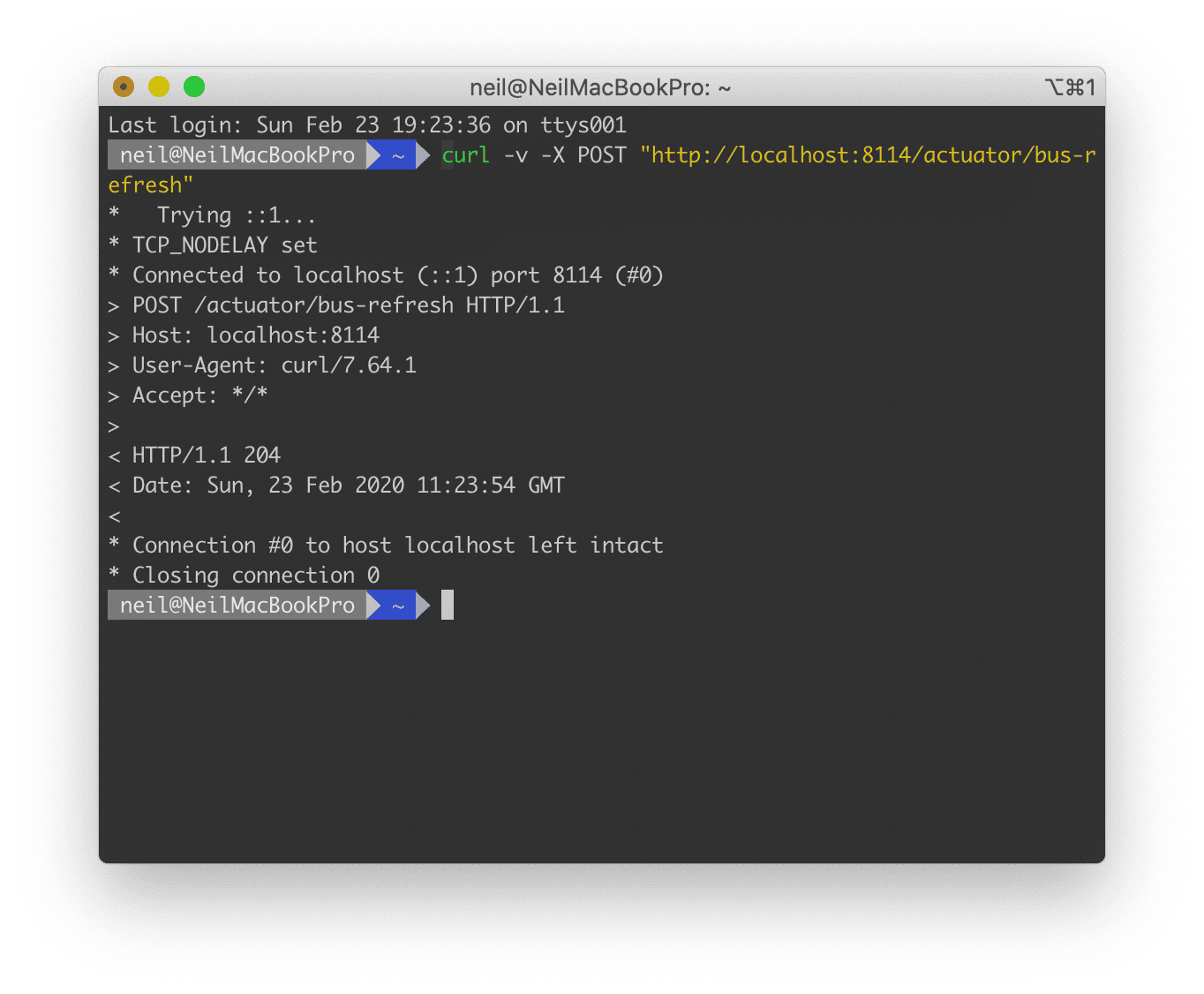
Other services that need dynamic config update are modified the same way. After modifying, how do we use it? We just need to send a POST signal to the centralized config module. In my demo the config center address is: http://localhost:8114/actuator/bus-refresh. I use the curl command to simulate a POST request; you can use any client that can send POST requests, such as POSTMAN. If you get a 404, check whether the bus-refresh interface is exposed — in the config file that’s management.endpoints.web.exposure.include; in my demo system it’s an asterisk, meaning all interfaces are exposed.
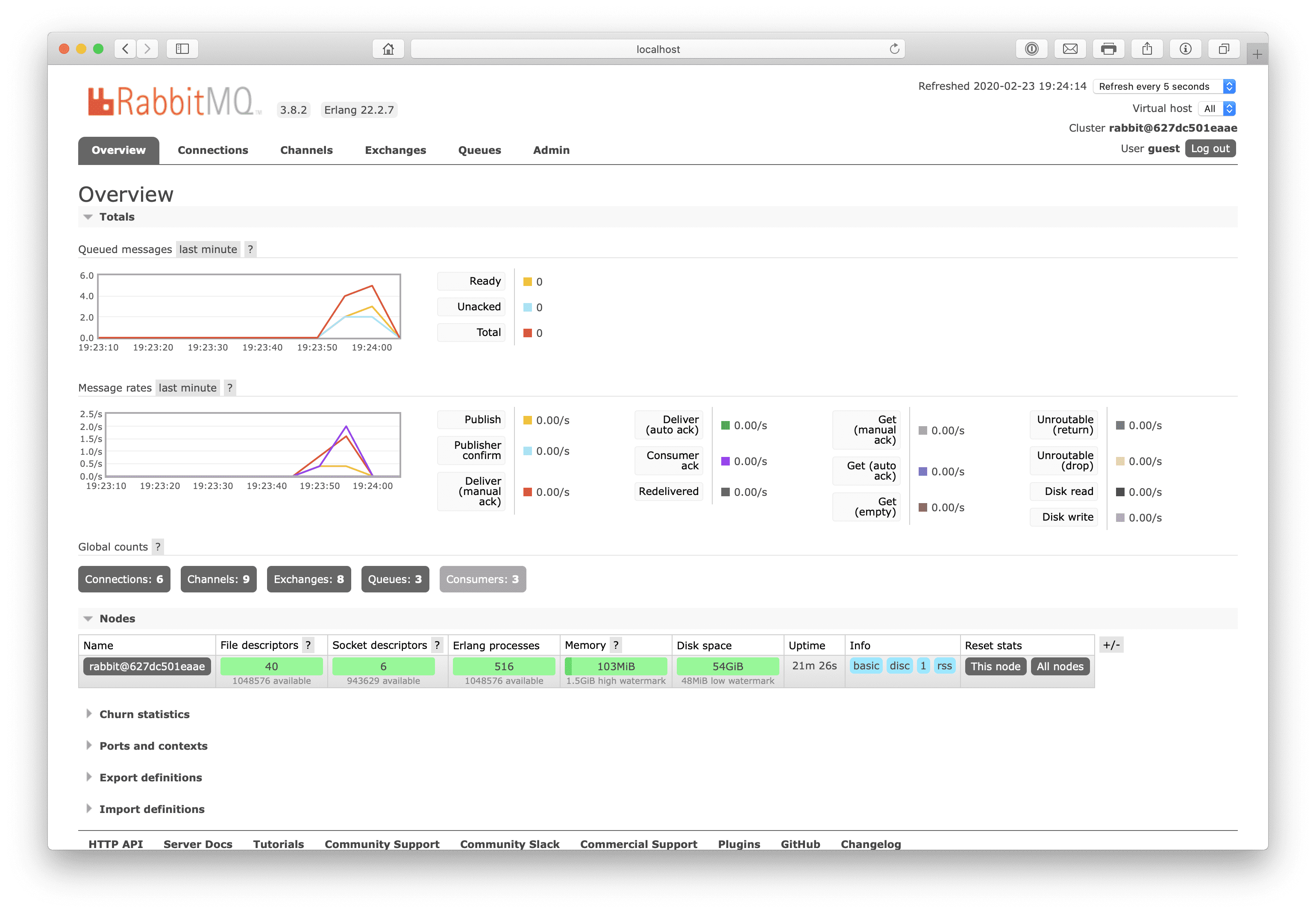
After sending a POST signal to /actuator/bus-refresh, let’s look at the RabbitMQ UI — you can already see the messages sent and received by each service:
Use Git WebHooks for Auto Update
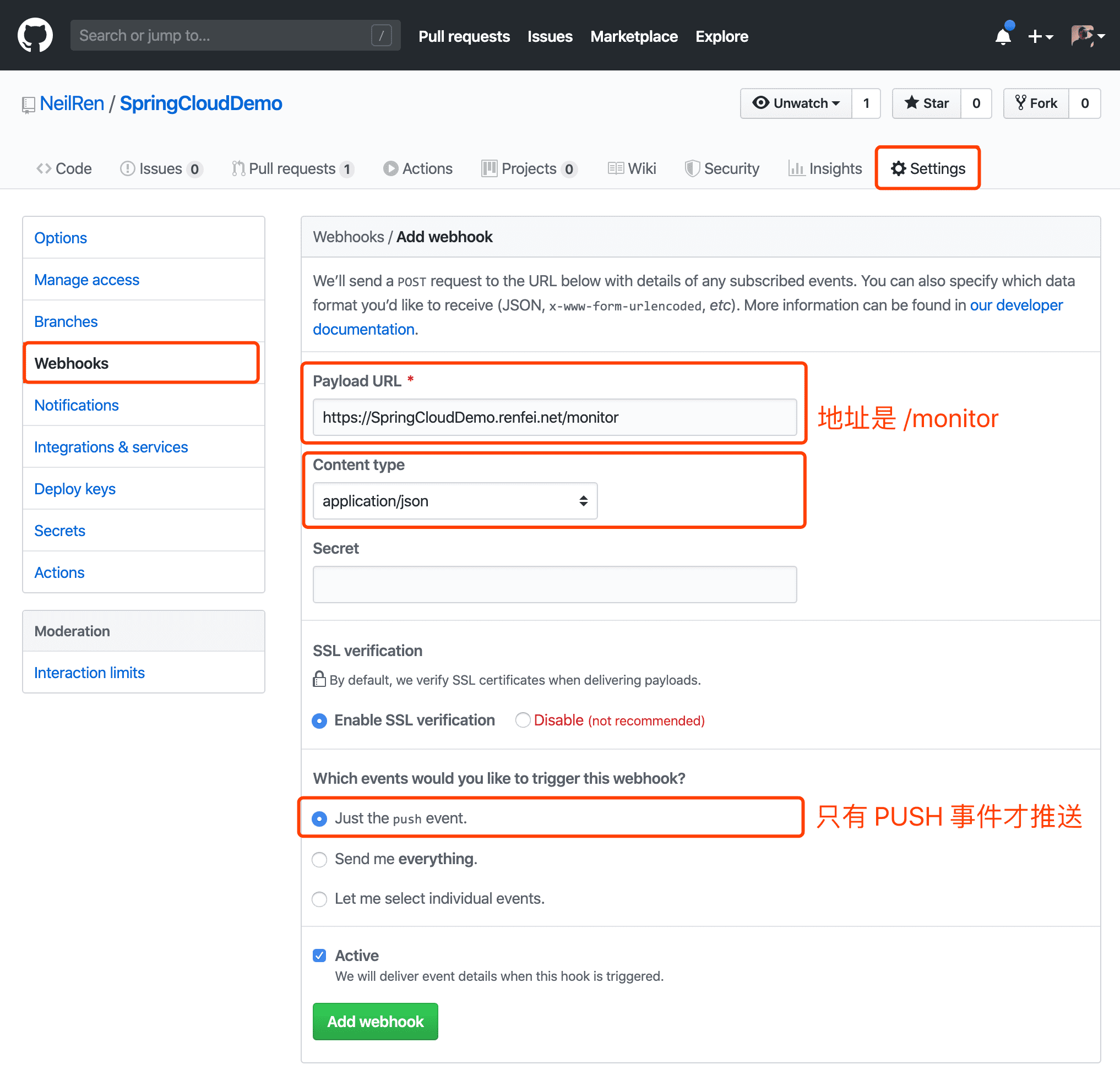
Some may ask, do we still have to manually send a POST request every time we update? Actually, we can use the WebHooks provided by Git to send the signal; both GitHub and GitLab offer this feature. The principle: Git’s WebHook update calls the config server’s /monitor (spring-cloud-config-monitor) to trigger the RefreshRemoteApplicationEvent event, then Spring Cloud Bus’s StreamListener listens for RemoteApplicationEvent and publishes it to each config client via MQ, and the client receives the RemoteApplicationEvent to perform the refresh.
I’ll use GitHub as an example: in the Git project settings, select WebHooks, click Add, enter the link address that can reach /monitor, choose json for Content type, and select “Just the push event.” — a notification is sent only on push.