

Why This Upgrade
The cause was the “affection” of netizens. Starting in April, an IP began requesting frantically — it felt like an infinite loop, over 5 requests per second, over 300 per minute, and silently endured nearly 5 million requests over two months. Unable to find this netizen, I originally thought about blacklisting his IP, but he chose you probably out of trust, and blacklisting directly might affect his program’s operation, so I chose to endure silently and ultimately carried it all alone.
What’s in This Upgrade
This “ip.renfei.net” upgrade supports not only IPv4 networks but also IPv6 networks, so the JSON you get may be an IPv4 or an IPv6 address. Developers, please update your programs to recognize it. If you only want to query an IPv4 address, use “ipv4.renfei.net”, which supports IPv4 only.
To cope with the netizens’ “affectionate” frantic requests, I used edge computing to spread the traffic. Let’s see whether an 8-year veteran webmaster can take the hit — just keep writing your infinite-loop refreshes and see if you can take me down. So angry.
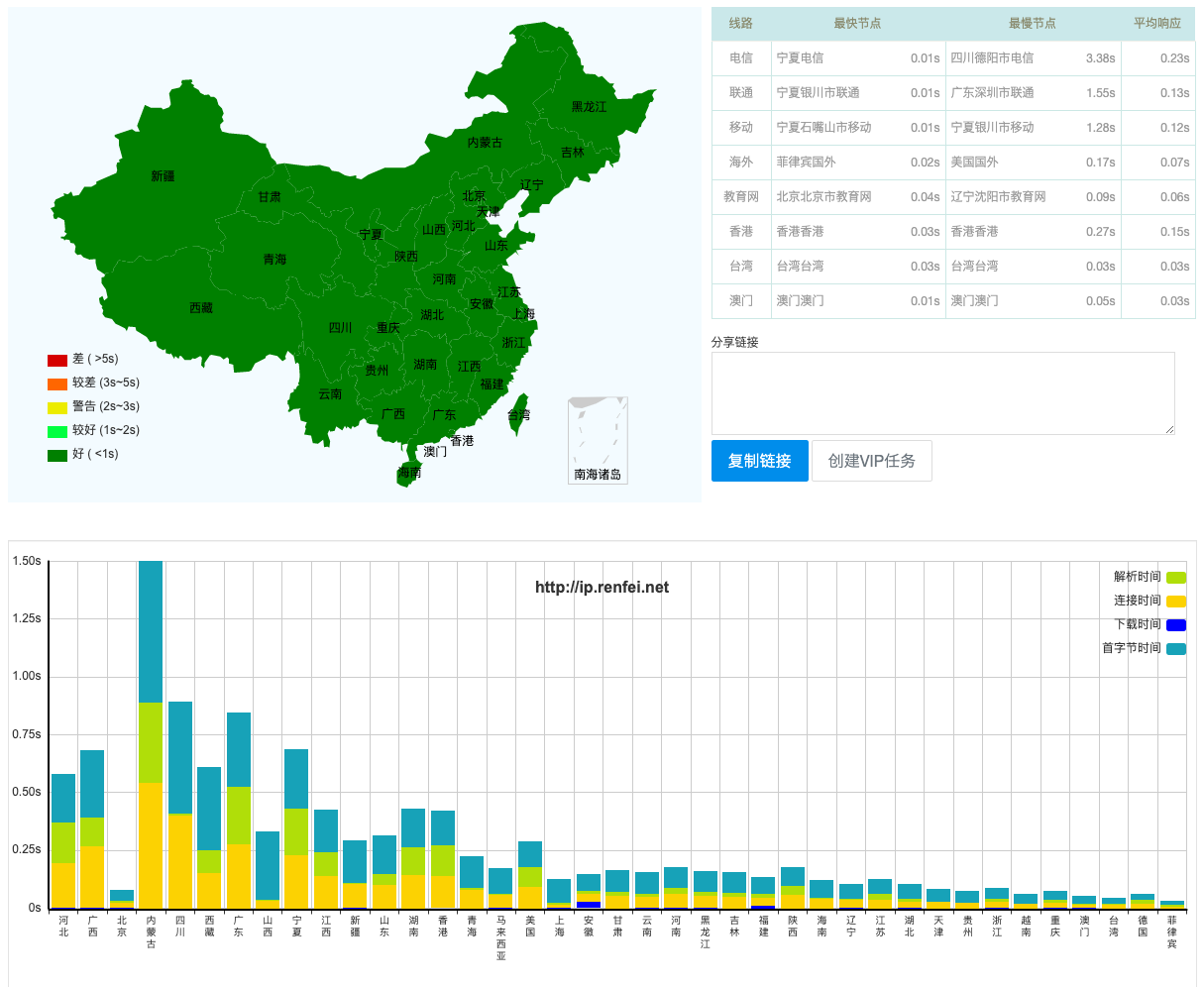
Speed improved greatly because edge computing is used — requests are routed to the nearest data-center node, so response times nationwide are within 1 second.
Using the “ip.renfei.net” Service Correctly
The original purpose of building the “ip.renfei.net” service was to pair with DDNS dynamic DNS resolution. I run some sites and services at home on a PC, but home broadband uses a dynamic IP, so I need to modify my domain resolution when the IP changes. So I built the “ip.renfei.net” service: programmatically detect at intervals whether my public IP has changed, then call the domain registrar’s API to modify the domain’s resolution records.
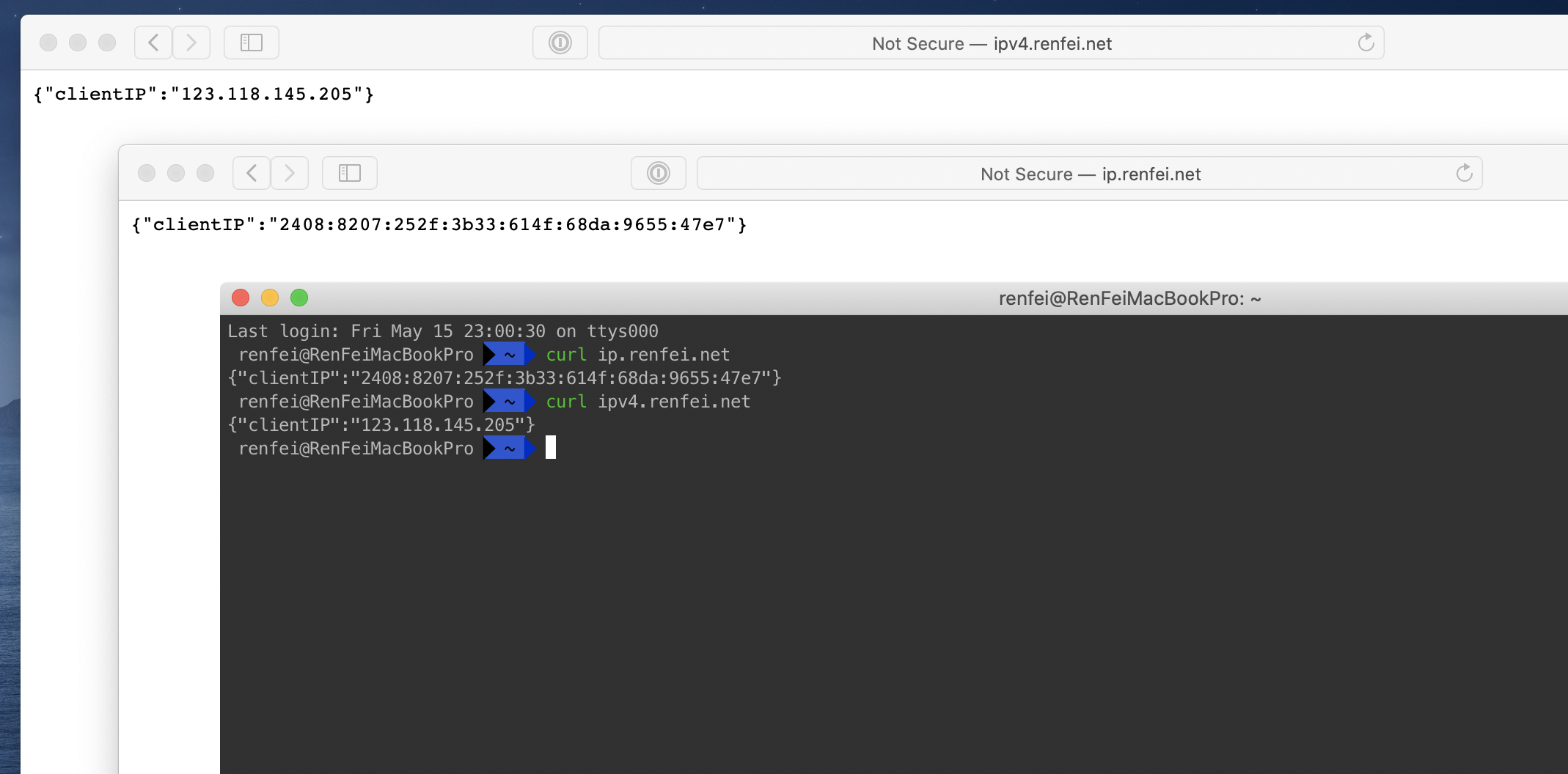
Or, on a Linux server, after several NAT routes you may not know your public outbound IP — you can use the command curl ip.renfei.net to see the current network outbound IP.
You can also use JavaScript in a browser to request the “ip.renfei.net” service to get the user’s current IP address, and from there get the user’s region and other info.