
This post updates Pushing pages to Google Search with the Google Indexing API. Google changed the console UI, so following the old tutorial leaves you unable to find where to create JSON credentials.
Most steps still match the original article. The difference starts after creating the service account — there’s now no obvious place to create JSON credentials — so I’ll walk from account creation all the way through generating the JSON key.
Create a Google API Project
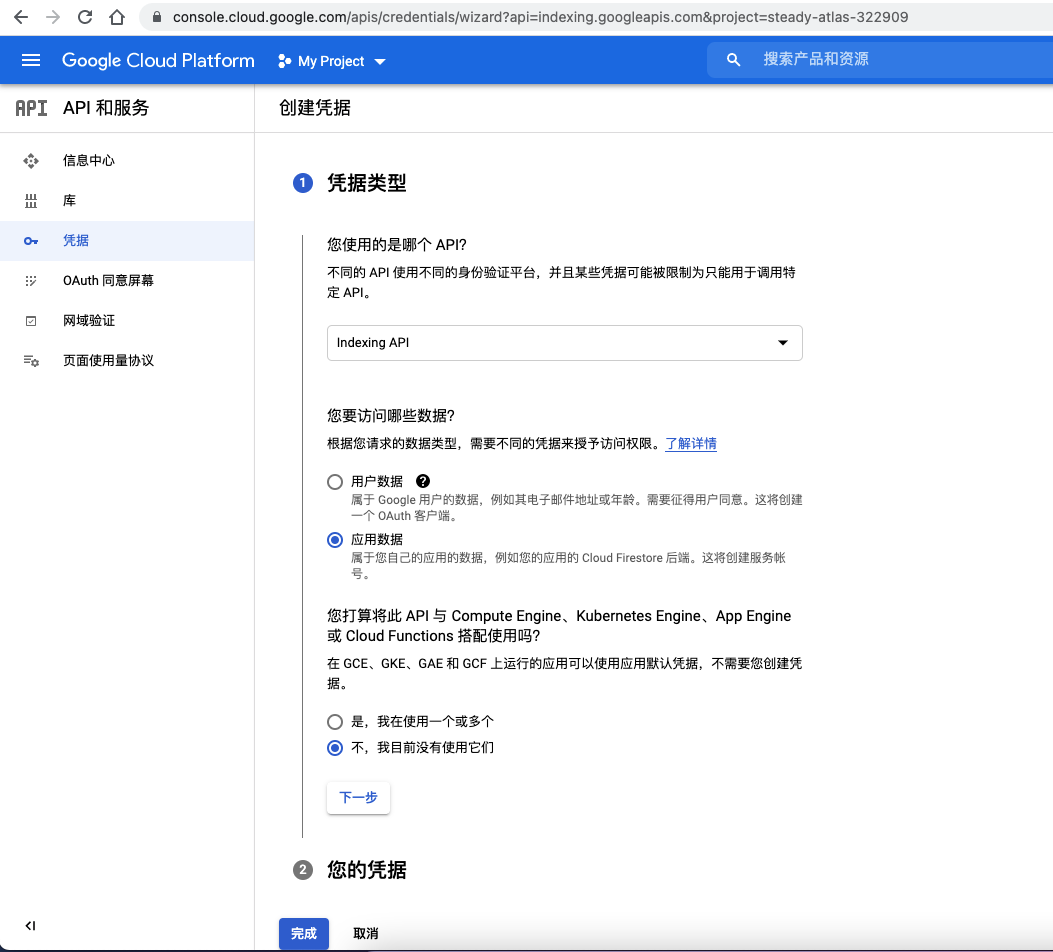
This is the step Google changed. Follow the setup wizard from the original post, create a new project, add credentials, pick Indexing API / Application data / “No, I’m not using them”:
Then name the account, click Create and Continue, and skip permissions and roles — just hit Done.
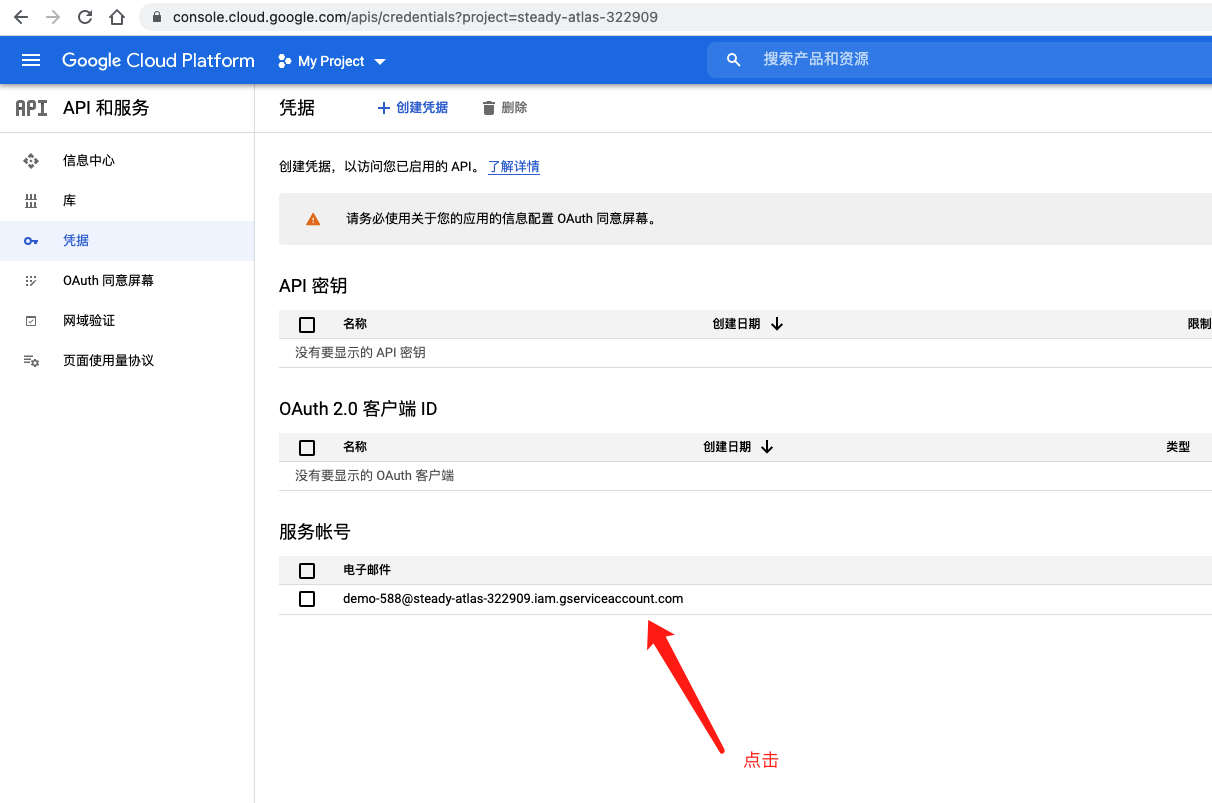
Back on the Credentials page, click the account we just created:
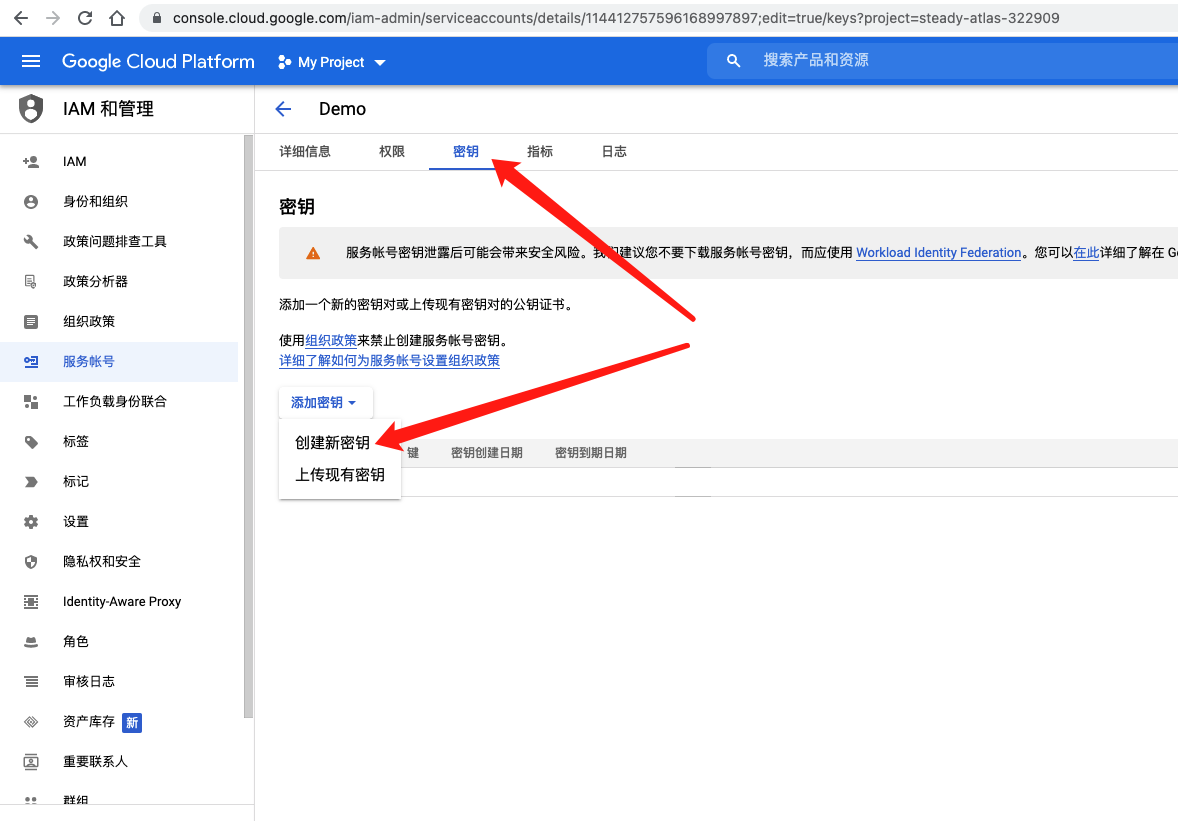
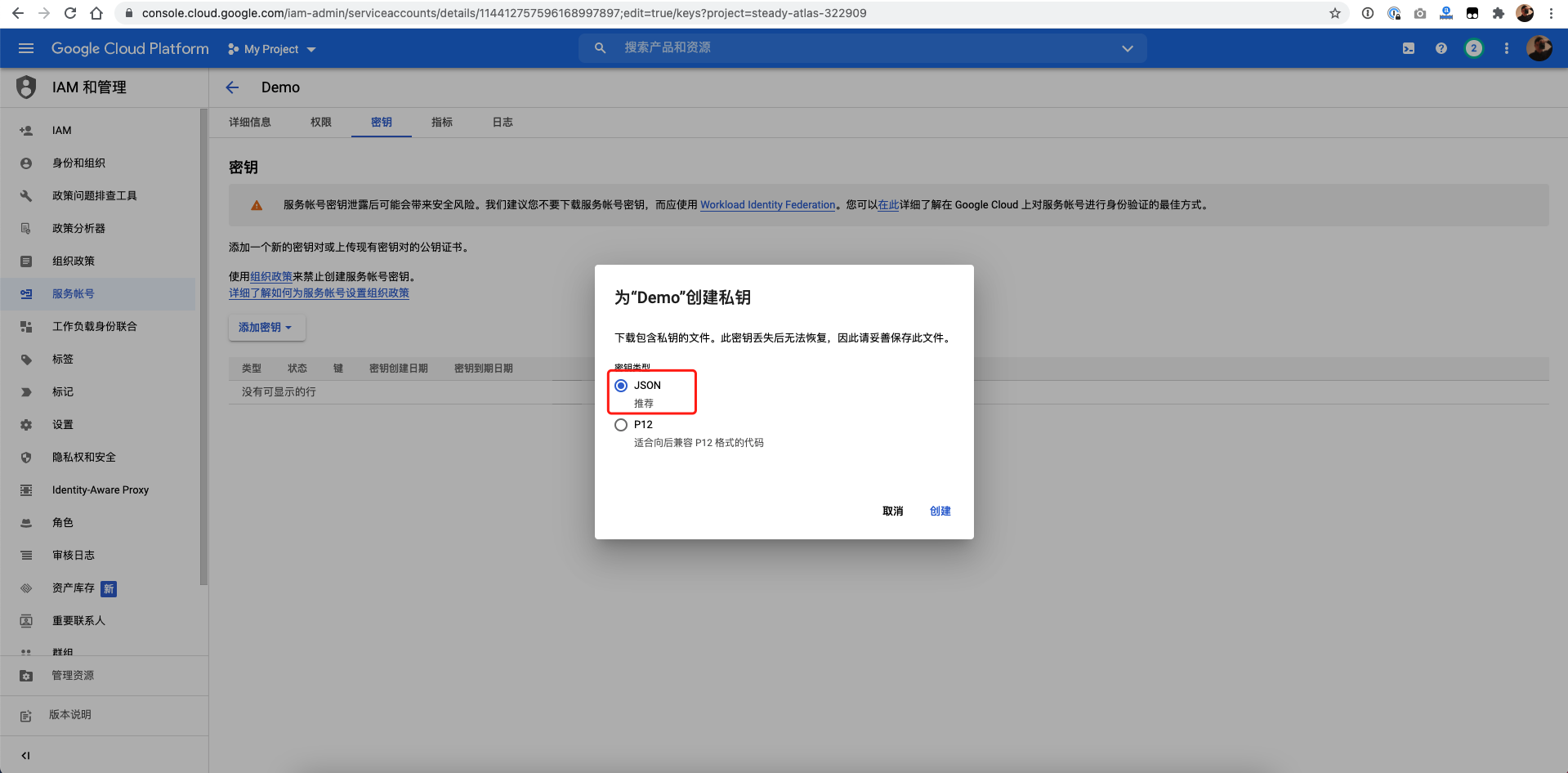
Then click Keys, then Create new key:
Choose JSON as the key type:
About Bing Returning d:null
Someone asked whether Bing returning {"d":null} means success. Checking the official sample, yes — that’s the normal response:
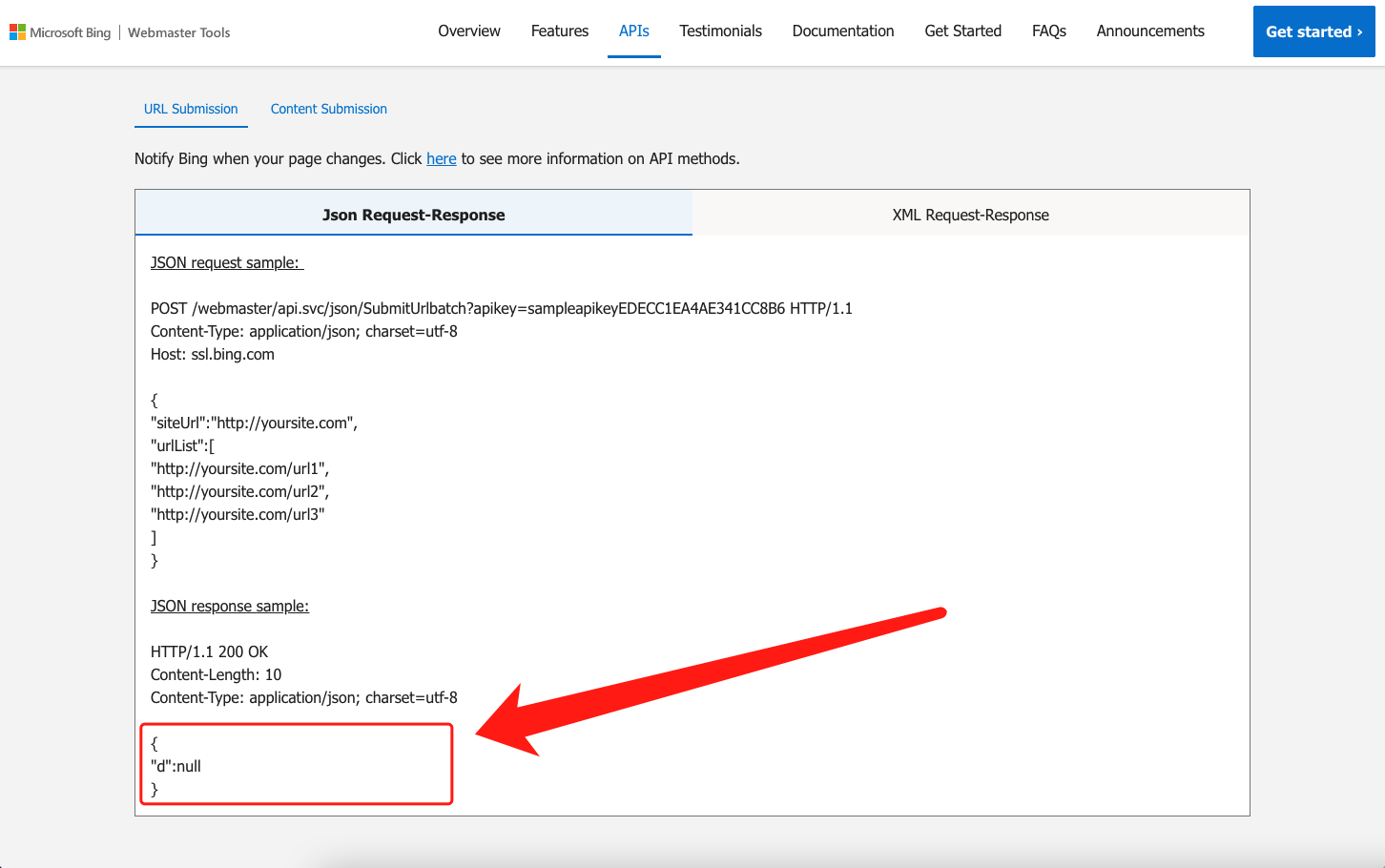
If you’re still unsure, check the submitted URL list in Bing Webmaster Tools: https://www.bing.com/webmasters/submiturl — remember to select your site in the top-left corner.
Wrapping Up
The rest hasn’t changed. Follow the original tutorial from here.