
My last post, Notes on compiling OpenWRT (LEDE) yourself, covered building manually. That gives more freedom, but it means paying for your own server. Is there a free one? GitHub Actions Workflows lets you compile OpenWRT (LEDE) for free, and it’s reasonably fast — the default config builds in a bit over an hour.
Enabling GitHub Actions Workflows
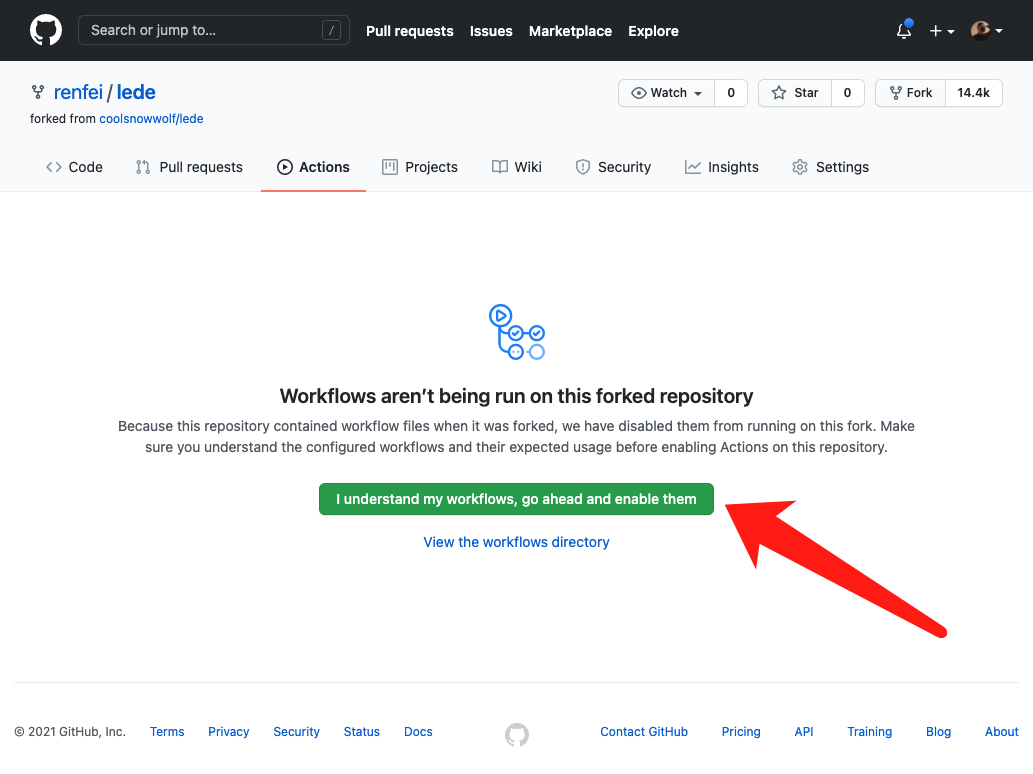
First fork the repo into your own account, then enable GitHub Actions Workflows — because it’s disabled by default.
That default is there for your safety: when you fork someone else’s repo, their scripts could run arbitrary commands against your account and repositories. So you have to enable the scripts yourself.
Go to the Actions tab and click the big green button in the middle: “I understand my workflows, go ahead and enable them”. It’s asking you to declare that you know how workflows work and want them on.
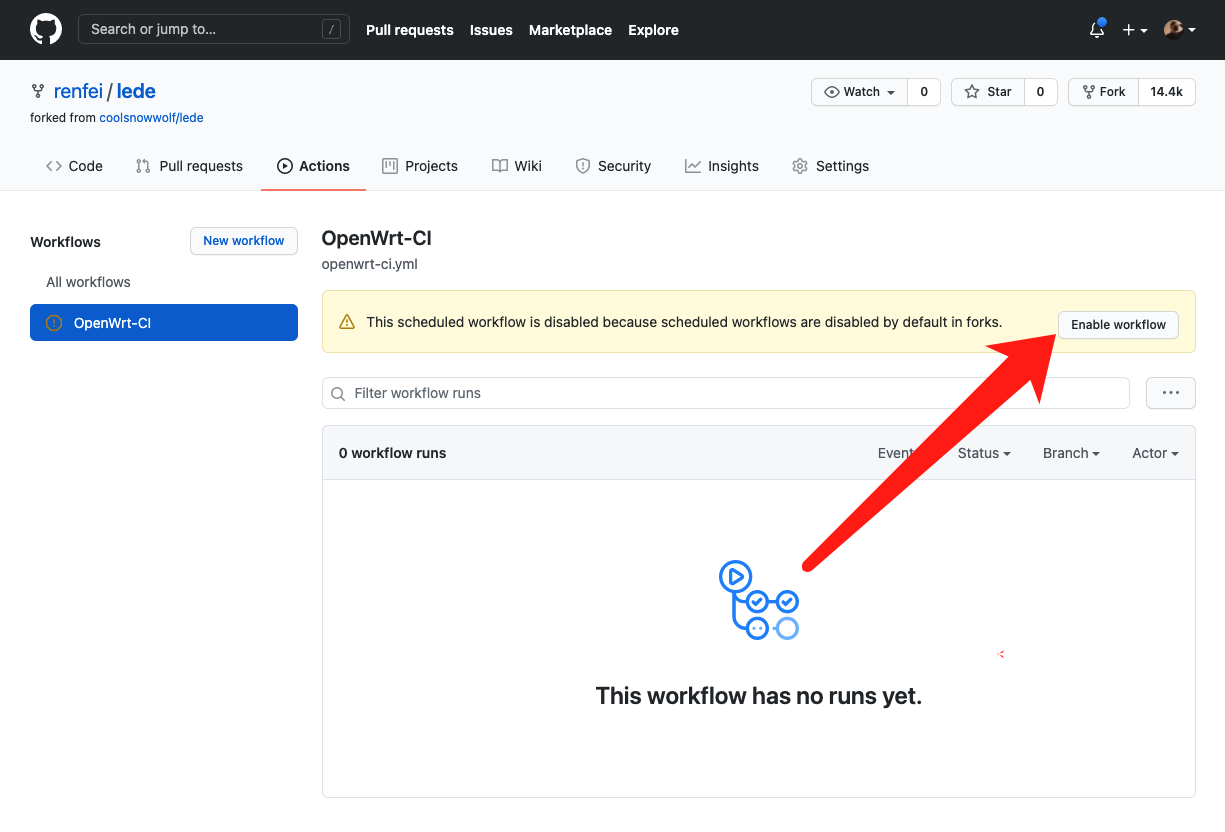
Then click the OpenWrt-CI workflow under Workflows and hit “Enable workflow” on the right. This workflow ships with the repo and runs on a schedule — once a day.
Collecting the Built Firmware and Packages
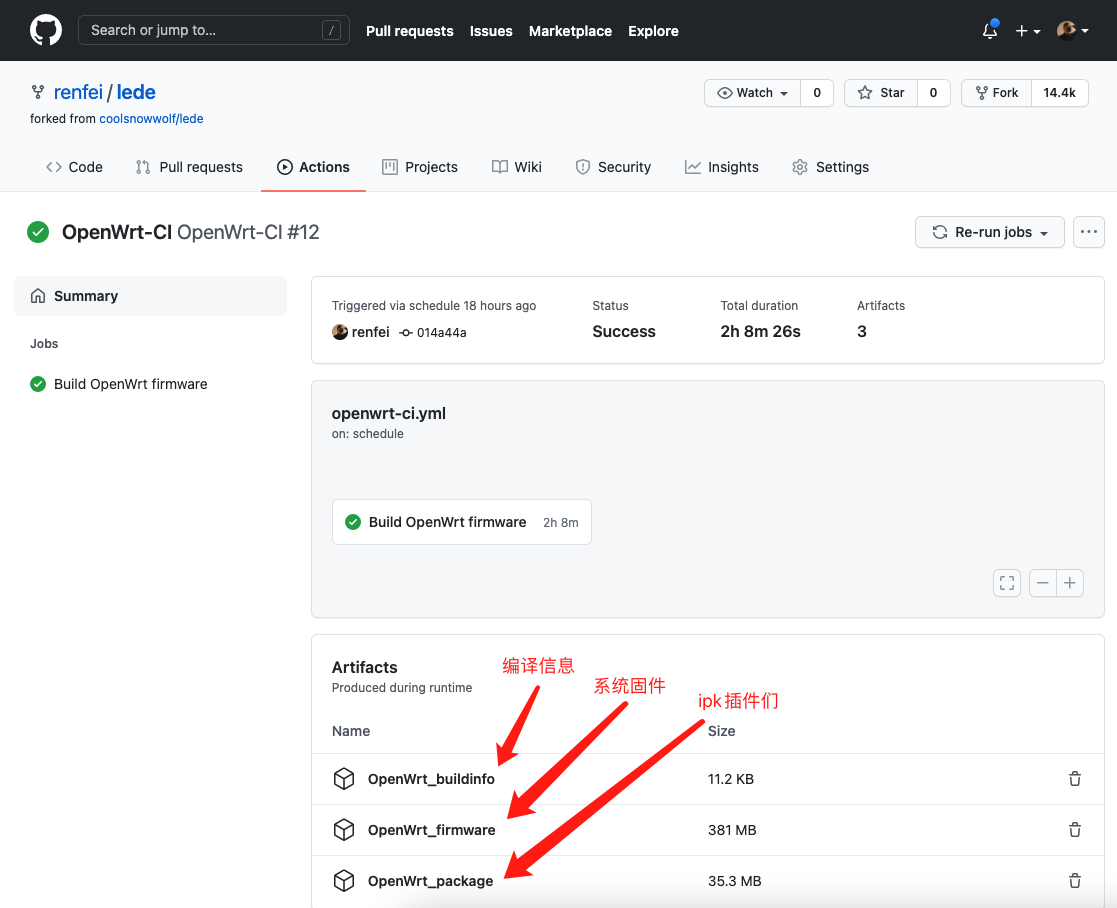
The upstream scheduled task runs daily. When it finishes you’ll see a green checkmark — yellow means still running, red means it failed.
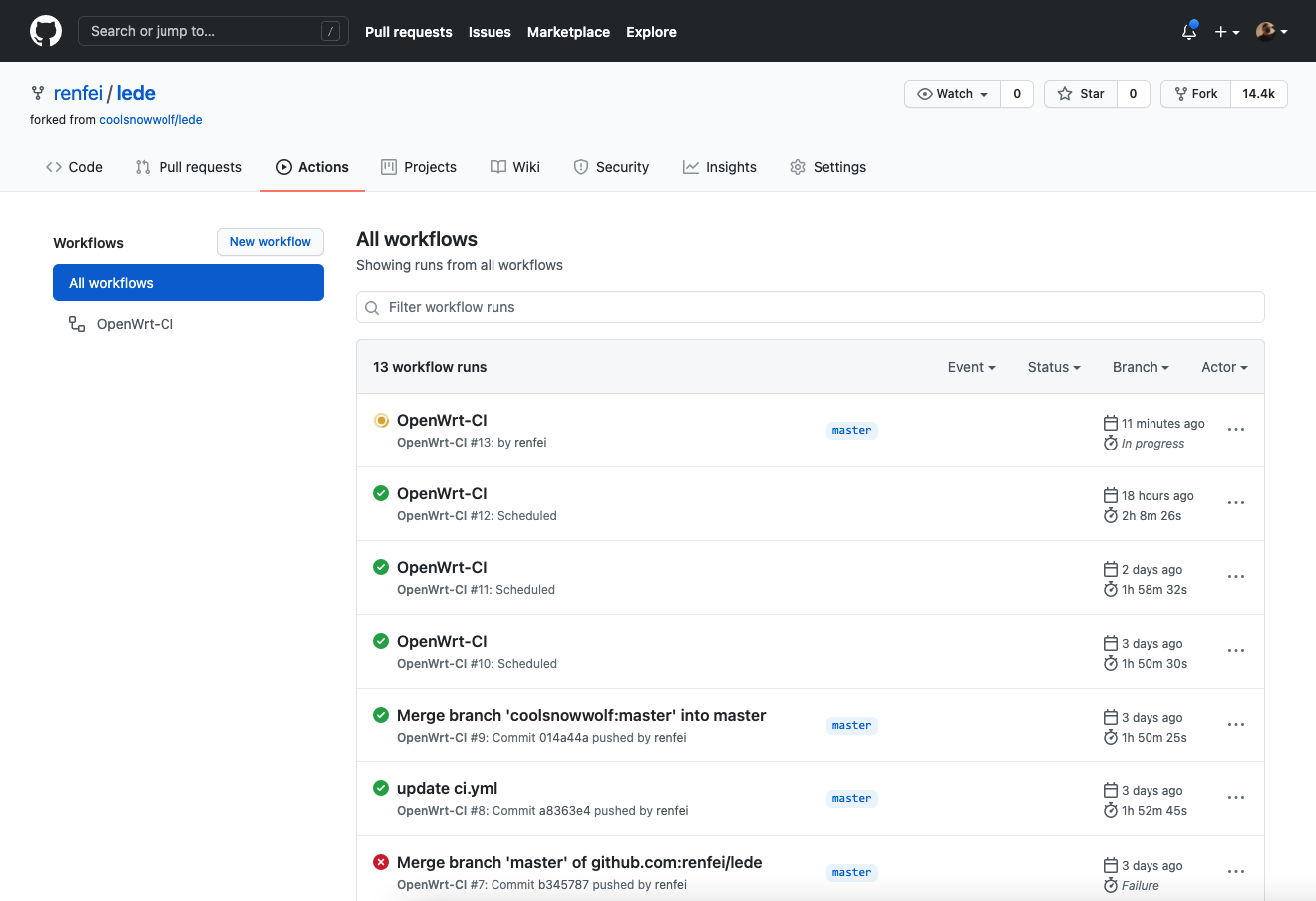
Click the green completed run, find Artifacts, and download what you need:
OpenWrt_buildinfo: build metadata, skip itOpenWrt_firmware: the compiled firmware, i.e. the system image you write to the routerOpenWrt_package: the compiled plugins, i.e.ipkinstall packages
Customizing the Workflow
To add or change build steps, edit lede/.github/workflows/openwrt-ci.yml. If you need to learn the syntax, see my other tutorial First look at GitHub Actions Workflows.
Everyone’s build is different, so I’ll stop the walkthrough here.
Next post: installing x86 OpenWRT (LEDE).