
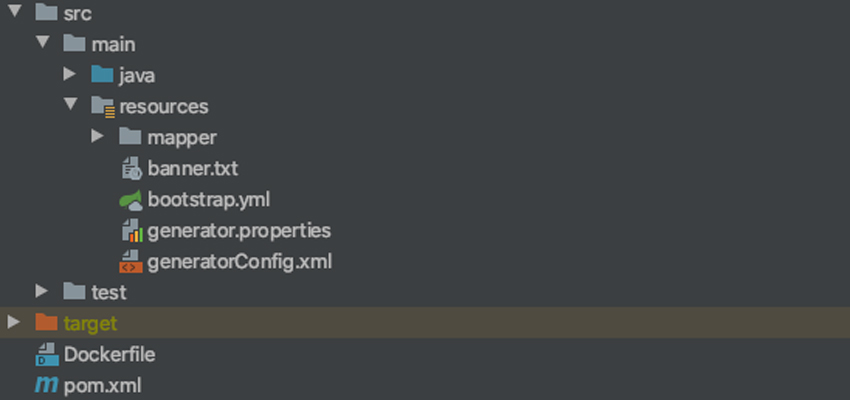
When using MyBatis, IDEA prompts “Could not autowire. No beans of ‘XXXMapper’ type found.” and draws a red squiggly line on the mapper class. The actual reason is that you forgot to add the @Repository annotation to the mapper.
@Repository, @Service, and @Controller correspond respectively to the storage-layer bean, business-layer bean, and presentation-layer bean.
The @Repository annotation is used to mark the class of the data access layer (DAO layer) as a Spring bean. You only need to put this annotation on the DAO class. Also, to let Spring scan the classes in the classpath and recognize the @Repository annotation, you need to enable automatic bean scanning in the configuration, which may be XML; this article demonstrates with Spring Boot, so we use annotation-based configuration.
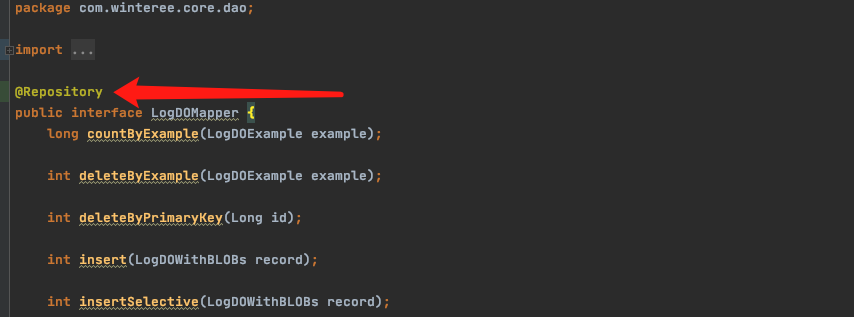
First, add the @Repository annotation on the mapper interface. The package path is org.springframework.stereotype.Repository.
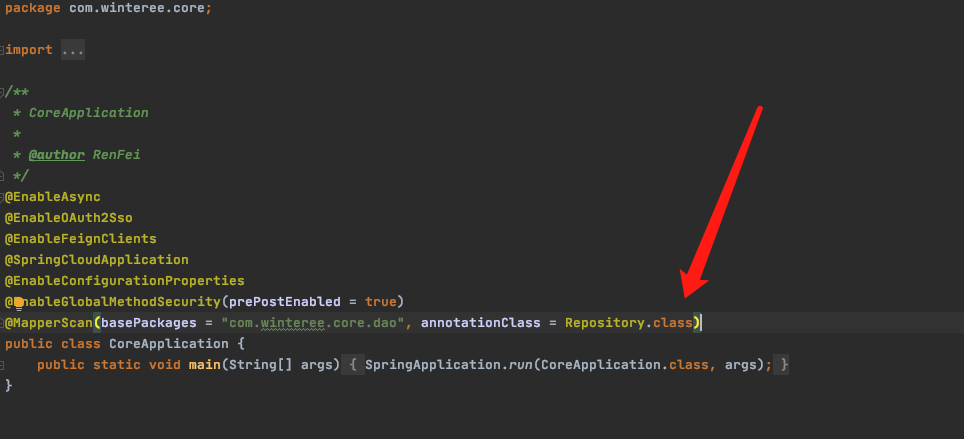
Then add the config annotation on the startup class: @MapperScan(basePackages = “com.winteree.core.dao”, annotationClass = Repository.class).
Now IDEA will no longer warn “Could not autowire. No beans of ‘XXXMapper’ type found.”