
Tip If you encounter a system prompt saying the file is damaged, was not downloaded from the Mac App Store, is from an unidentified developer, or that Apple cannot check whether it contains malicious software, please refer to the solution article “Resolving Mac Software Installation/Runtime Prompts: Damaged, Not Downloaded from the Mac App Store, From an Unidentified Developer, Apple Cannot Check Whether It Contains Malicious Software”.
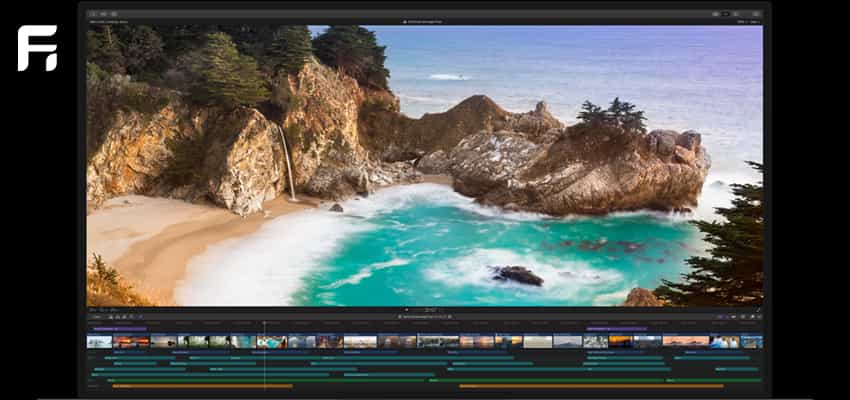
Completely redesigned from the ground up, Final Cut Pro combines revolutionary video editing with powerful media organization and incredible performance, letting you create at the speed of thought.
Features
Revolutionary Video Editing
-
Magnetic Timeline 2 uses advanced metadata to make editing faster and easier compared to traditional tracks
-
An enhanced timeline index lets you drag and drop audio roles to rearrange the timeline layout
-
Attach B-roll, sound effects, and music to the timeline using Connected Clips
-
Reduce clutter by grouping clips into Compound Clips
-
Use Auditions to cycle through different shots, graphics, or effects at a point on the timeline
-
Automatically sync multicamera projects based on audio waveforms, supporting up to 64 camera angles
-
Import and edit a variety of formats and frame sizes of 360° equirectangular video
-
Create, edit, and deliver closed captions in Final Cut Pro
Powerful Media Organization
-
Organize your work within libraries for efficient media management and collaboration
-
Content auto-analysis captures camera metadata and analyzes footage in the background
-
Quickly create and apply custom keywords or favorites when selecting clip ranges
-
Smart Collections dynamically organize content, letting you find any shot in just a few clicks
Incredible Performance
-
Final Cut Pro uses all the GPUs in your Mac to deliver exceptional real-time playback performance and fast background rendering
-
The 64-bit architecture uses all the RAM in your system for larger projects and richer effects
-
Background processing lets you keep working without interruption
-
Native, in-place handling of a variety of formats, including ProRes, RED, XAVC, AVCHD, DSLR H.264, and more
Compelling, Customizable Effects
-
Beautifully animated, easily customizable 2D and 3D titles
-
Change the look of titles, transitions, and effects with intuitive controls
-
Choose from a broad ecosystem of third-party FxPlug plug-ins with custom interfaces
Integrated Audio Editing
-
Assign roles on import, including dialogue, music, effects, and custom choices, to easily track and organize projects
-
Expand and edit multichannel audio files directly in the timeline
-
Let Final Cut Pro fix audio problems, such as hum, excessive background noise, and more
-
Step-by-step sync DSLR video with separate audio via instant audio waveform matching
Intuitive Color Grading
-
Import, edit, and deliver video in standard color space or the wide Rec. 2020 color space
-
Improve the look of any clip with one-click color balance
-
Manipulate color, saturation, and exposure using color boards
-
Fine-tune specific colors or regions of the screen using keys and masks
-
Powerful color wheels and curves for precise adjustments with keying and masking
All-in-One Optimized Output
-
Extremely fast export, playable on Apple devices and uploadable to sites such as Vimeo, YouTube, and Facebook
-
Author and burn DVDs or Blu-ray discs with themed menus
-
Export audio stems and multiple versions of the finished video using role metadata
-
Import and export XML for third-party workflows, such as color grading and mixing
System Requirements
macOS 10.13.6 or later, 4 GB of RAM (8 GB recommended for 4K editing, 3D titles, and 360° video editing), a GPU with OpenCL support or Intel HD Graphics 3000 or later, 256 MB of VRAM (1 GB recommended for 4K editing, 3D titles, and 360° video editing), 3.8 GB of available disk space.
Some features require Internet access; fees may apply. Burning Blu-ray discs requires a Blu-ray burner. Outputting video to a VR headset requires a Mac running macOS High Sierra with discrete graphics. A 27-inch iMac with Radeon Pro 580 graphics is recommended. HEVC and HEIF support requires macOS High Sierra.
Information
Compatibility: OS X 10.14.6 or later, 64-bit processor
Languages: English, French, German, Japanese, Simplified Chinese, Spanish
Website: http://www.apple.com/finalcutpro/
What’s New in Final Cut Pro 10.4.8
-
Prevents an issue that could cause visual artifacts to appear on screen for Nvidia graphics cards with the “Reduce Transparency” accessibility preference enabled
-
Fixes an issue that prevented media from appearing in the Photos library browser when using Final Cut Pro on macOS Catalina
-
Fixes an issue where Final Cut Pro would sometimes load the wrong project in the timeline
-
Resolves an issue where thumbnails would not update when browsing titles, generators, and transitions in the browser
-
Improved stability when sharing
-
Improved stability when browsing media in the browser
-
Improved reliability when using Sony XAVC media
-
Improved reliability when importing and exporting CEA 608 captions