
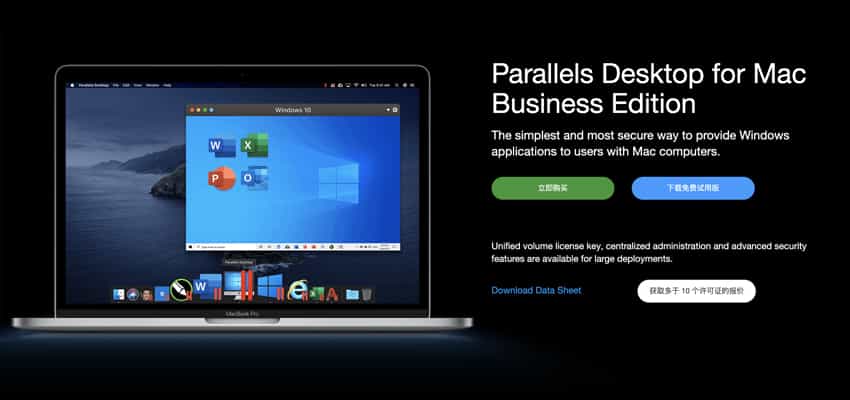
Parallels lets you run Windows and Mac applications side by side. Choose your view to make Windows invisible while you’re still using its applications, or keep the familiar Windows background and controls on your Mac.
Features
-
Run Windows on your Mac
-
Develop and test across multiple operating systems in a Mac virtual machine
-
Access Microsoft Office for Windows and Internet Explorer
-
Fast — run Windows applications without slowing down your Mac
-
Quickly move files, applications, and more from your PC to your Mac
-
Now supports Windows 10 and macOS Catalina
-
Easily run Windows 10 and macOS. Use Microsoft Cortana, your virtual assistant, on your Mac.
Switching From PC to Mac
We make it easy to transfer all your files, applications, browser bookmarks, and more from your PC to your Mac — just follow the Setup Assistant.
Serious Performance
Parallels Desktop Pro Edition gives your virtual machines more processing power. Up to 64 GB of vRAM and 16 vCPUs per virtual machine lets you run even the most demanding applications.
Run Windows on Your Mac
PD15 virtual machines — run Windows applications on your Mac without rebooting. Run Microsoft Office on your Mac. Access Microsoft Office for Windows and Internet Explorer.
Transfer Files From a Windows PC to a Mac
Quickly move files, applications, and more from your PC to your Mac.
Multiple Operating Systems in a Mac Virtual Machine
Develop and test across multiple operating systems in a Mac virtual machine.
Run Microsoft Windows Apps on Your Mac
Fast — run Windows applications without slowing down your Mac.
Fast, Powerful, and Easy
Whether you need to run a Windows program with no Mac version, or you’re switching from a PC to a Mac and need to move your data over, Parallels Desktop has you covered.
Seamless
Run Windows alongside macOS on a MacBook, MacBook Pro, iMac, iMac Pro, Mac mini, or Mac Pro — no rebooting. Share files and folders between Mac and Windows applications, copy and paste images and text, and drag and drop files.
Easy Setup
Parallels Desktop detects what you need to get started, so you’re up and running within minutes. If you need Windows, you’ll be prompted to download and install Windows 10, or to choose an existing Windows, Linux, Ubuntu, or Boot Camp installation.
Lightning Fast
Graphics-heavy and resource-hungry Windows applications run easily without slowing down your Mac. Run the most demanding applications, such as Adobe Photoshop, Visual Studio, or SketchUp.
Choose Your View
Make Windows invisible while still using its applications in Coherence mode. If you’re new to Mac, you can set Windows to take up the whole screen so it looks just like using a Windows PC.
Info
Compatibility: macOS 10.12.6 or later, 64-bit
Includes: Parallels Toolbox v3.9.1-3170
Languages: multiple