
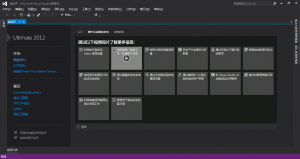
I remember when using the English version of Visual Studio 2012, it was a fully black theme, black background, white text, pretty cool, right? The key is it’s comfortable to use at night, not glaring. But the Chinese version of Visual Studio 2012 doesn’t have the black theme, it’s white. How to set it? Actually simple: Tools >> Options >> Environment >> General >> Visual Experience >> Color Theme >> Dark, and it’s set. See the screenshots:
 Visual Studio black background settings
 Visual Studio black background settings
 Visual Studio black background settings
Now isn’t your Visual Studio 2012 a very cool black background? If you’re not used to the English version’s black background, you can also switch back to the white background theme. I suggest using the white theme during the day, and the black theme at night or when the surrounding light is weak.