

With wireless network technology developing, wireless router prices keep dropping, wireless networks enter ordinary homes, and slowly become a household standard. Our devices also start supporting WiFi. Everything is going wireless.
Yesterday I spent a whole day setting up a homegroup LAN at home, enabling file sharing among multiple computers. I won’t talk about making cables here; cable-making tutorial: http://www.neilren.com/?p=334
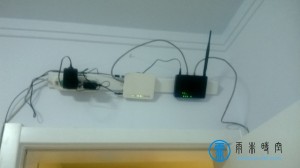 Physical connection of the router

Since the connection here is the same as usual, no need to repeat. See: http://www.neilren.com/?p=222
HomeGroup settings
Demonstrated here with Windows 7. From Control Panel enter Network and Sharing Center. In “View your active networks”, click your connection — there may be three: Home network, Work network, Public network. We choose Home network, then click “Choose homegroup and sharing options” below to set what to share and the homegroup password. Only those with the password can join the homegroup.  Check the share types, view or change the password. After that, go to advanced settings. For the others, choose the first option; for “Password protected sharing”, it’s recommended to turn it off, otherwise you may be asked for a username and password when connecting to your computer.
  Other computers are set the same way. Open My Computer — do you see “HomeGroup” now? In “Network” you can also see all the computers at home (they must be on, of course). As long as a folder is set to shared, other homegroup members can access it, with read/write permissions settable.