
This is a working-use post — simple explanations only, no deep dives.
Why know how Git works
As you keep using Git, understanding how it actually works makes many problems easier to grasp — rebasing, divergence, and so on. I recommend every Git user understand how Git works. Understand it — no need to master it. So a light read is all you need, and I won’t go deep either.
This is just my understanding. For the official docs, see: https://git-scm.com/book/en/v2
How Git works
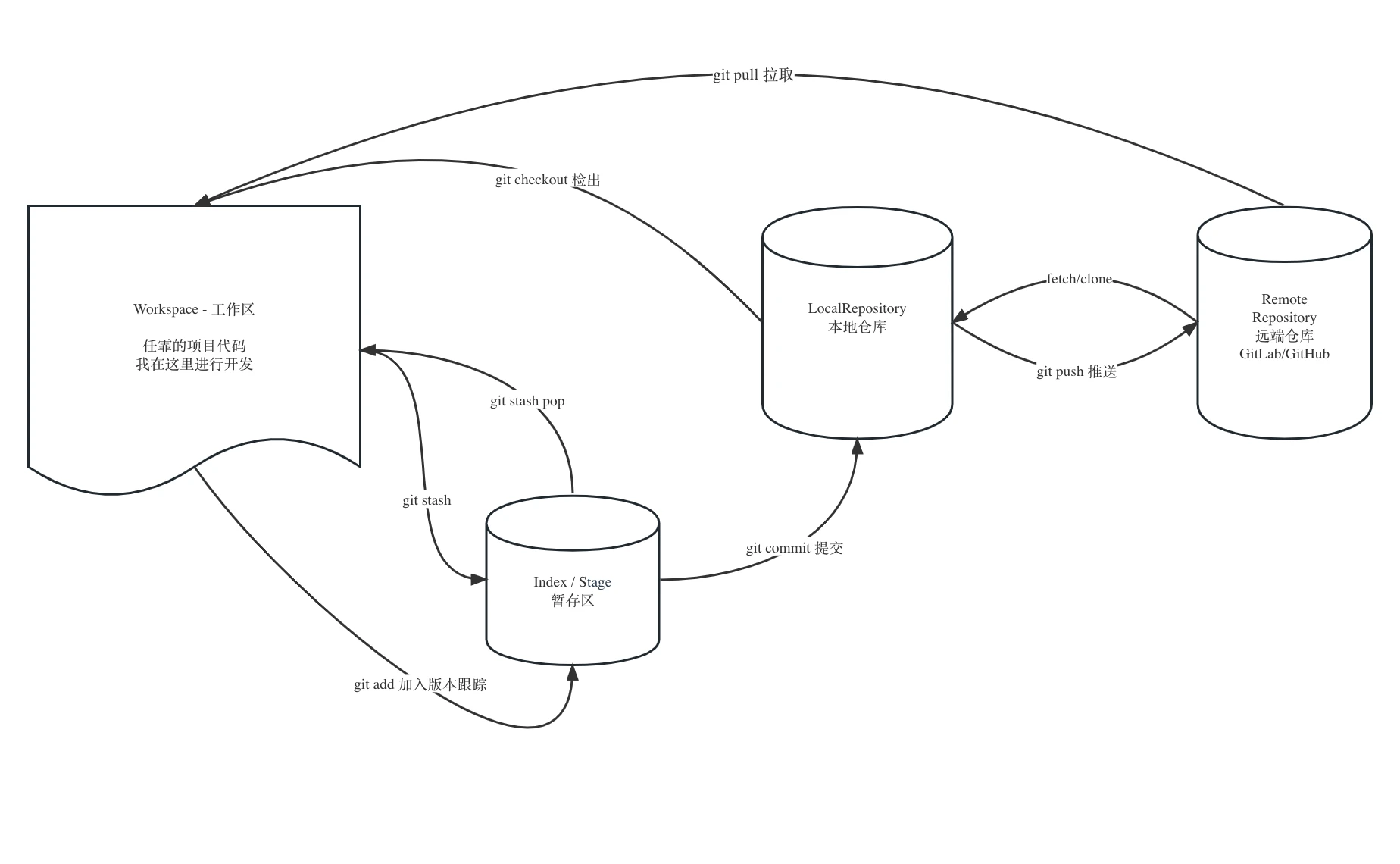
Git is roughly made of these common parts:
- Workspace: the working directory — the code you’re modifying right now
- Index (aka Stash): the staging area, like a little pocket — store your current changes into it, or take them out
- Repository: the local repo — the entire project’s commit history lives here
- Remote: the remote repo — everyone pushes version info here and pulls the latest code
How Git manages commits
Inside git, everything is an object. A commit object is a snapshot of the repository — all the project’s files at the moment of that commit. A commit points to a tree object, which is the root of the directory; the tree recursively points to more trees and blob objects, and a blob is the binary storage of a single file.
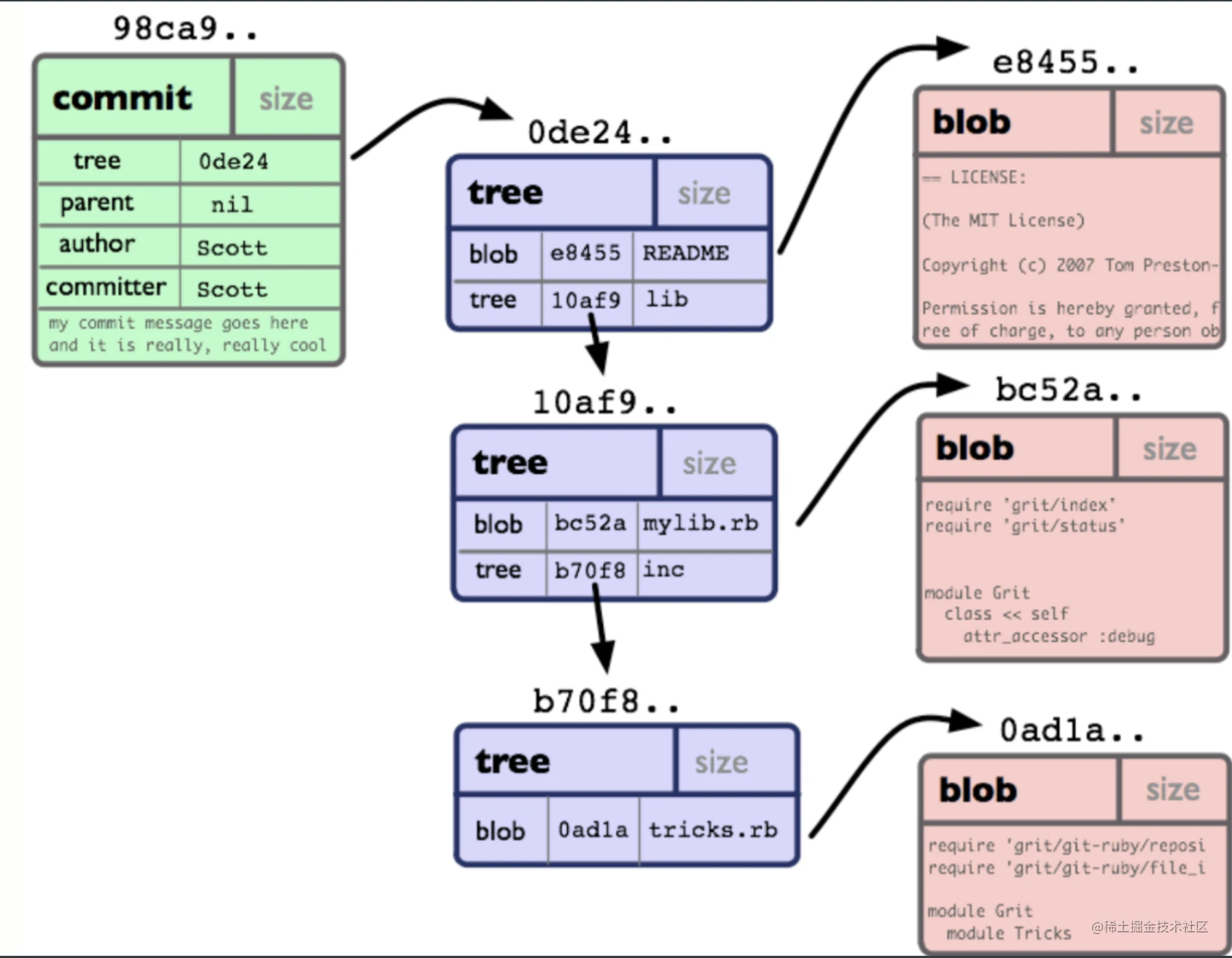
Does every commit store all files?
No. There’s only ever one stored copy of a given file (blob object); different commits reference the same file via object references.
A commit object also has a parent field. Multiple commit objects form a linked list — give a chain a name and you have a branch. Then a pointer to any commit object takes you back to any version; HEAD points at the newest node.
Branch divergence
Precisely because commits form a chain of nodes pointed to by pointers representing code versions — and as a tech manager I’ve seen every kind of scene, even the rarer kind of divergence. It went like this:
- Developer A: huh? Where did my code go? My commits are gone?
- Developer B: huh? The code I deleted is back?
- Developer C: mine’s fine, all my code is here. Must be your problem!
- Me: damn it, the dev branch has diverged! How did you two push?? If it won’t push, don’t force-push! From now on everyone works on their own branch — the dev branch is protected, pushes blocked!
Divergence goes roughly like this. Two developers, B and C, both on the same branch, each committing on their own machine:
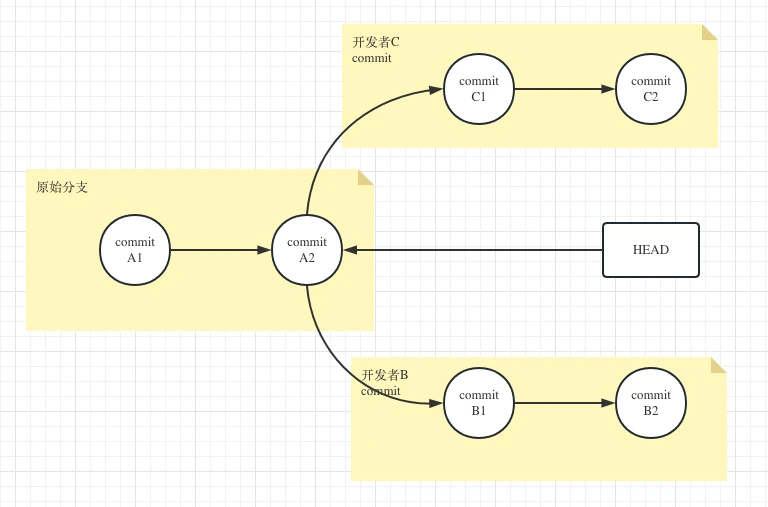
Developer C pushes first — the branch’s latest node now points to C’s commit:
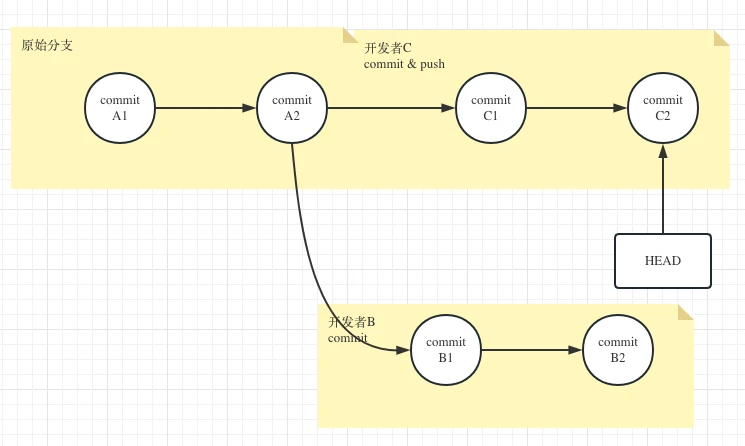
Then developer B pushes too — it will definitely fail, but the GUI tool may suggest some nonsense workaround, and B checks “force push”. And it becomes this:
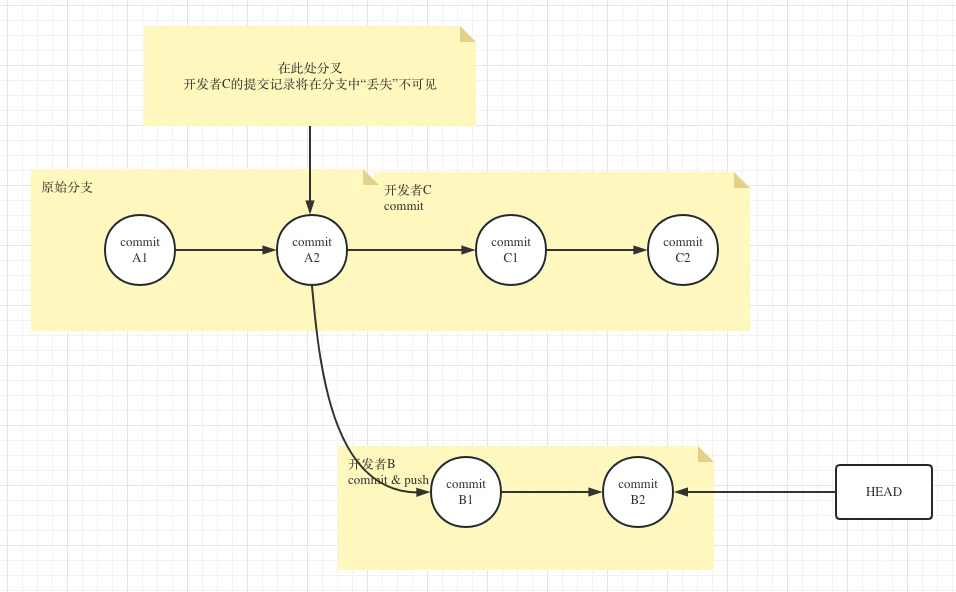
Now developer C’s commits have mysteriously vanished — because the branch diverged.