
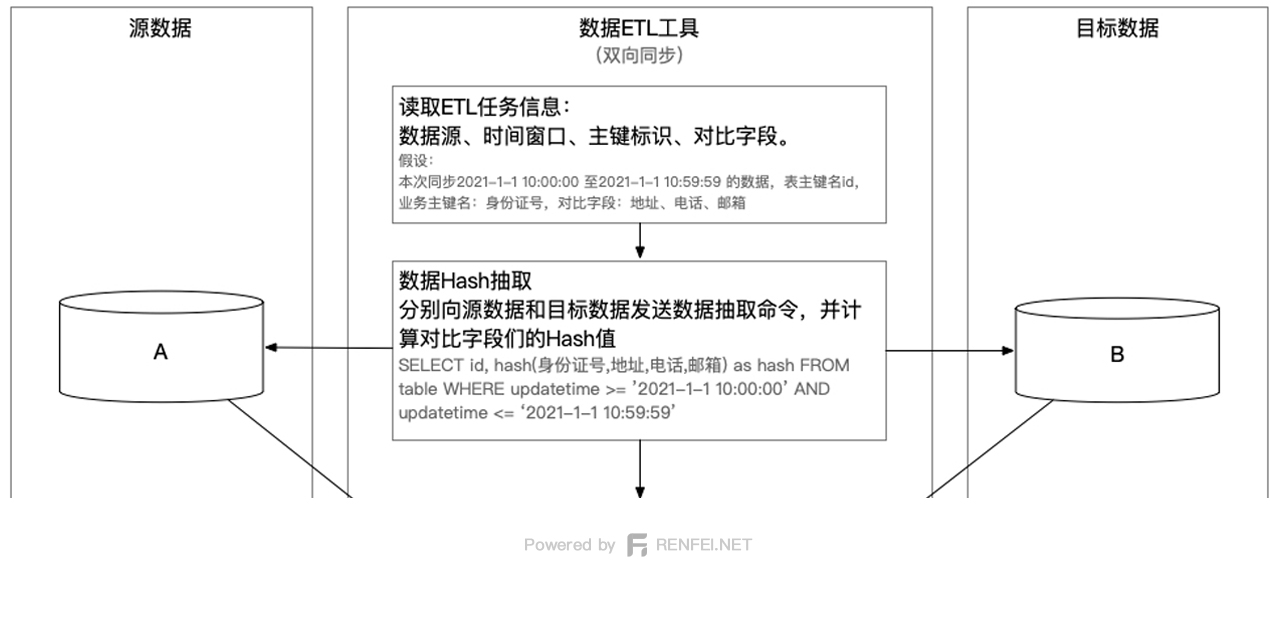
This post corrects and supplements Data Extraction Methods in Big Data ETL, where a few unnecessary steps can be dropped.
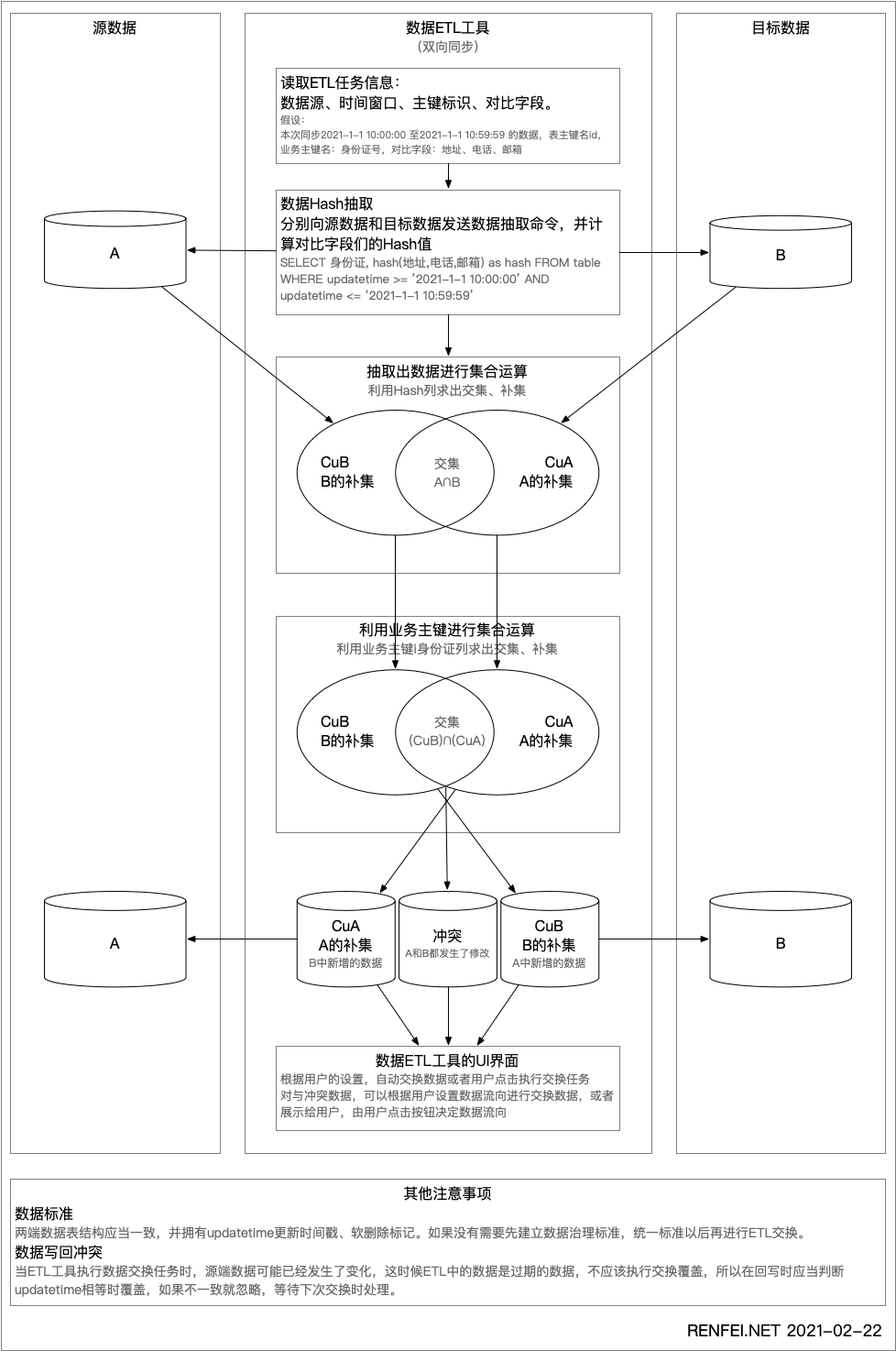
The original post derived two complements, CuB and CuA, from the first comparison, then pulled the real data for a second comparison. Applying this in production revealed that pulling the source data in the second comparison can be skipped, so I’ve corrected the ETL steps from that post.
Step 1: Extract Data and Hash It
Back in step one you should include the business key — for example the id or the ID card number — and carry it straight into the hash:
SELECT id_card, hash(other_fields) FROM table;That gives you two sets of (id_card, hash) pairs, A and B. Compare the two sets by hash to derive the complements CuB and CuA.
Step 2: Derive Complements and Intersection from the Business Key
With CuB and CuA in hand, derive the intersection and complements again — this time not by hash, but by business key: the ID card number. The intersection you get now is the conflicting data: same ID card number but inconsistent data. The two complements remain complements.
So you end up with three sets: CuB, CuA, and the conflict set.
Step 3: Pass the Three Sets to Their Respective Processing Services
CuB and CuA can be exchanged by pulling the data directly. The conflict set can be handled according to user configuration: show the conflict and wait for a decision, let A overwrite B, or let B overwrite A.
For the locality-sensitive hashing that speeds up comparison, see Locality-Sensitive Hashing for Faster Big Data ETL Comparison.