
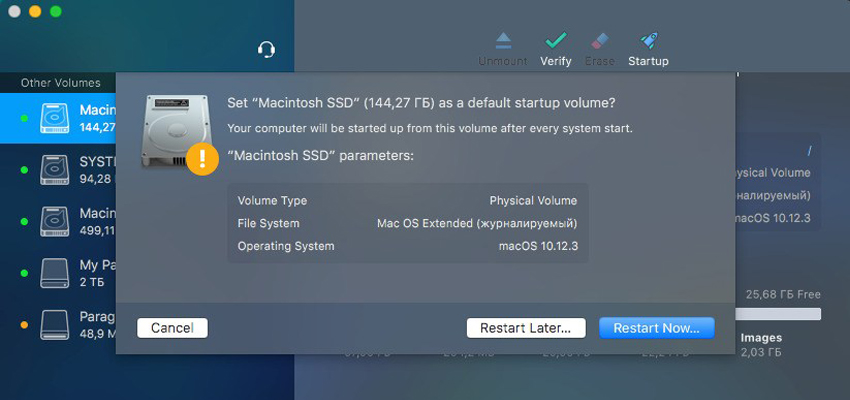
NTFS breaks down the barrier between Windows and macOS. Paragon NTFS effectively solves the communication problem between the Mac system and NTFS. Write, edit, copy, move, and delete files on NTFS volumes from your Mac. Access all your NTFS drives and perform the most common volume operations such as mount, unmount, and verify. Quickly reboot your Mac from the menu bar if you’ve installed macOS on a mounted NTFS drive. An excellent solution for end users, SOHO, and enterprises, supporting all NTFS versions from Windows NT 3.1 to Windows 8 (NTFS versions 1.2, 3.0, and 3.1), mounting NTFS volumes as native volumes.
Notes
Install NTFS for Mac.app: installer
Uninstall NTFS for Mac.app: uninstaller
Trial Reset.app: trial-period reset tool
At the copyright holder’s request, downloads are not available in Mainland China; visitors from other regions are unaffected.
Features
- Unprecedented high NTFS performance. Transfer rates are the same as the native HFS file system.
- A familiar interface, similar to Apple’s Disk Utility.
- One-click menu bar add-on
- Enable ownership and specify which users may access each newly created file or folder, and their read/write/execute permissions.
- Save last-accessed time if you need macOS to surface every file you accessed on the selected volume.
- Enable Spotlight indexing if you want instant Spotlight search and details on space used: how much space apps, music, video, photos, etc. take up.
- Mount read-only if you need to access sensitive data without modifying any files.
- Don’t auto-mount if you want to manually control access to volumes.
Info
Compatibility: OS X 10.10 or later
Language: English