
Tip If you encounter a system prompt saying the file is damaged, was not downloaded from the Mac App Store, is from an unidentified developer, or that Apple cannot check whether it contains malicious software, please refer to the solution article “Resolving Mac Software Installation/Runtime Prompts: Damaged, Not Downloaded from the Mac App Store, From an Unidentified Developer, Apple Cannot Check Whether It Contains Malicious Software”.
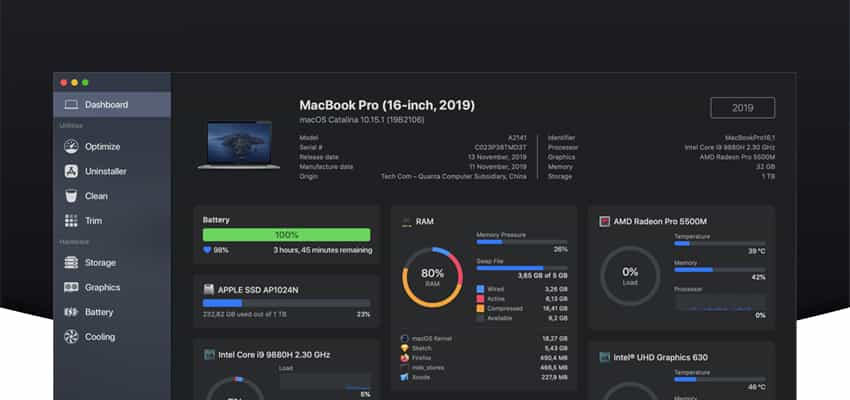
Next-generation Mac performance tool
Features
-
Performance dashboard
-
Detailed battery reporter
-
Disk cleaner
-
Thermal dashboard
-
Theme support
-
App uninstaller
-
Detailed hardware info
-
Temperature monitor
-
GPU monitor
-
Performance optimization
-
CPU monitor
-
Custom design
-
RAM monitor
-
Detailed display reporter
-
HDD/SSD SMART reporter
-
100% native code
-
Fan control
-
Detailed GPU/eGPU reporter
-
SSD trim enabler
-
Accent color support
-
Disk health analyzer
-
Disk benchmark
-
Battery health analyzer
-
Multiple localizations
-
Disk monitor
-
Dark mode
-
Startup speed optimizer
-
Partition map explorer
-
GPU firmware exporter
Information
Compatibility: macOS 10.15 or later, 64-bit
Language: English
Website: https://sensei.app/