
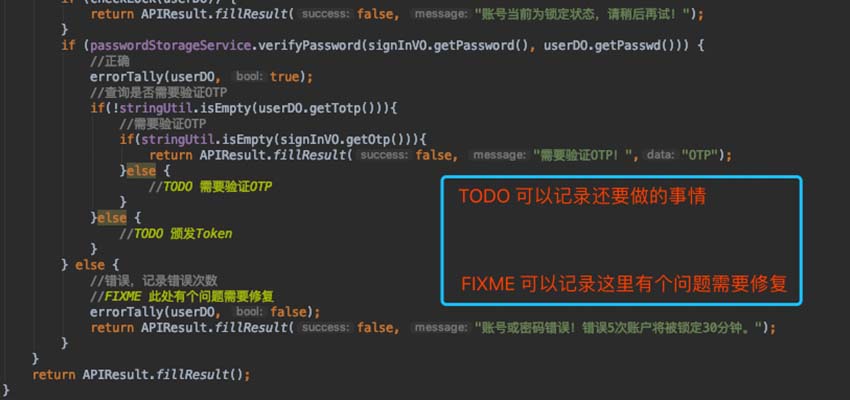
Every day we code we face interrupted trains of thought, or pick up today where we left off yesterday. With nothing recorded, we may forget what’s left to do, and even lose the solution we had in mind.
Is there a fix? This was solved long ago — most IDEs today support reminder comments, the most common being TODO and FIXME, and some also XXX and HACK. Here I’ll cover TODO and FIXME:
//TODO still need to do something
//FIXME there's a problem here that needs fixing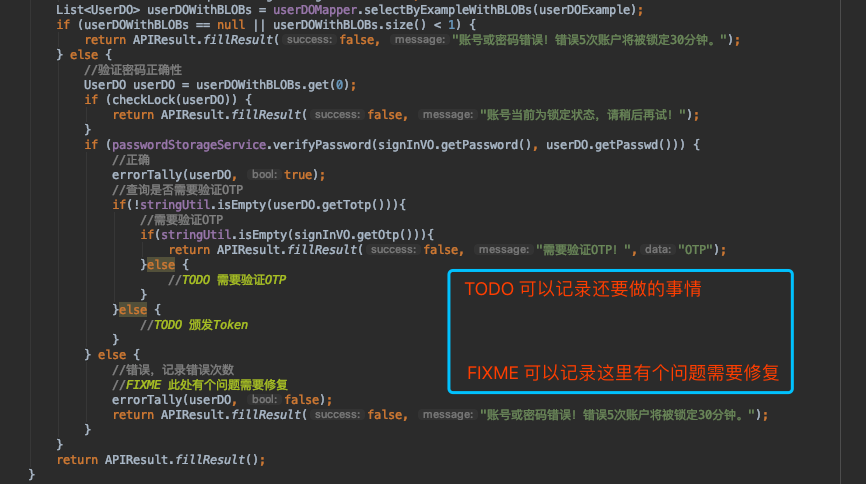
TODO: Something to Do
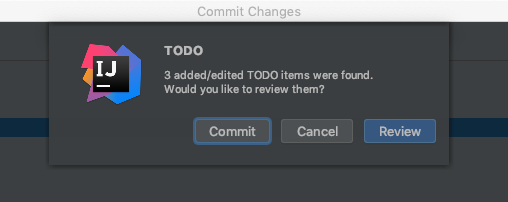
The annotation is understood literally: there’s still work to do. This quickly pulls our thinking back and recalls the situation when we wrote the code. Also, when committing to Git, the IDE checks for us — if your code contains a TODO, it reminds you there’s unfinished work, effectively preventing us from forgetting to complete the feature code later.
FIXME: There’s an Error to Fix
This annotation means there’s an error here to fix. Maybe the code wasn’t written by you, but you want to tell a teammate without them forgetting — you can use a FIXME to mark it: there’s an error here, and roughly what’s going on, so the teammate won’t forget.
These two comments help me a lot — they effectively bring me back to yesterday’s thinking and progress. Do you use them?