

After learning Git, many of you are eager to act — you have opinions on open source projects, or you’ve found bugs and optimizations. But how do you contribute your code to an open source project? Today I’ll show you how to share your code elegantly.
First, you need a GitHub account (obviously), then go to the target project’s homepage, e.g.: https://github.com/NeilRen/NEILREN4J
There are two cases. One: you’re not sure if it’s a code bug, a config issue on your side, or you lack the skill to fix it. Then you file an issue — a problem report where you raise the issue and can discuss heatedly with the author and other developers so the original team notices it.
The other case: you’re quite sure it’s a bug, and you’ve fixed it by modifying the code, and you want to merge your code into the open source project to contribute. Then do this:
-
Read the README.md file carefully — it may tell you what to do when you hit a problem. Also CODE_OF_CONDUCT.md, if present, tells you the standards for contributing code, so contribute code that meets the requirements. Look at PULL_REQUEST_TEMPLATE.md for the Pull Request template, and if required, later create a Pull Request that meets it. CONTRIBUTING.md lists any special conventions — read it if present. Your code must meet the project’s required standards.
-
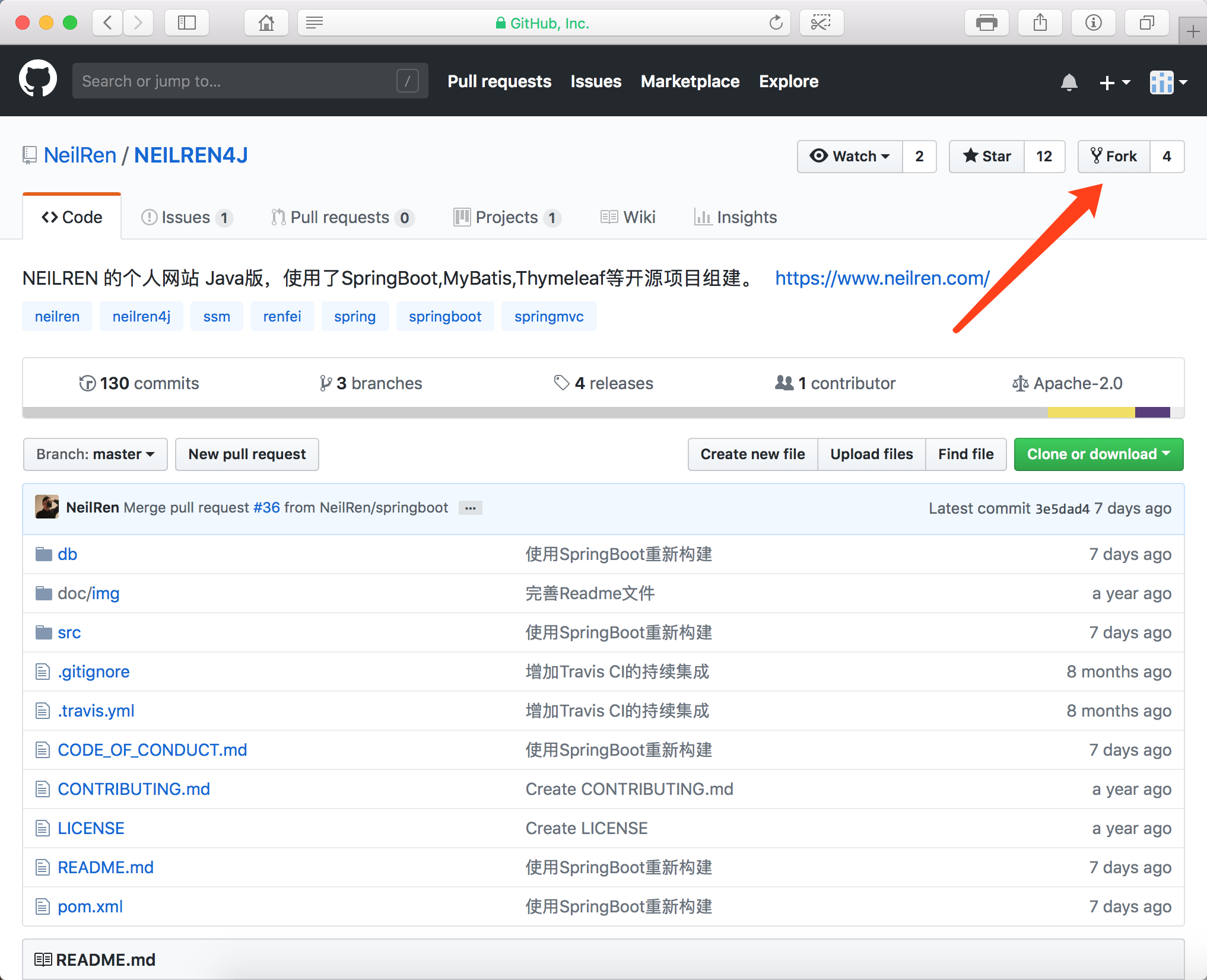
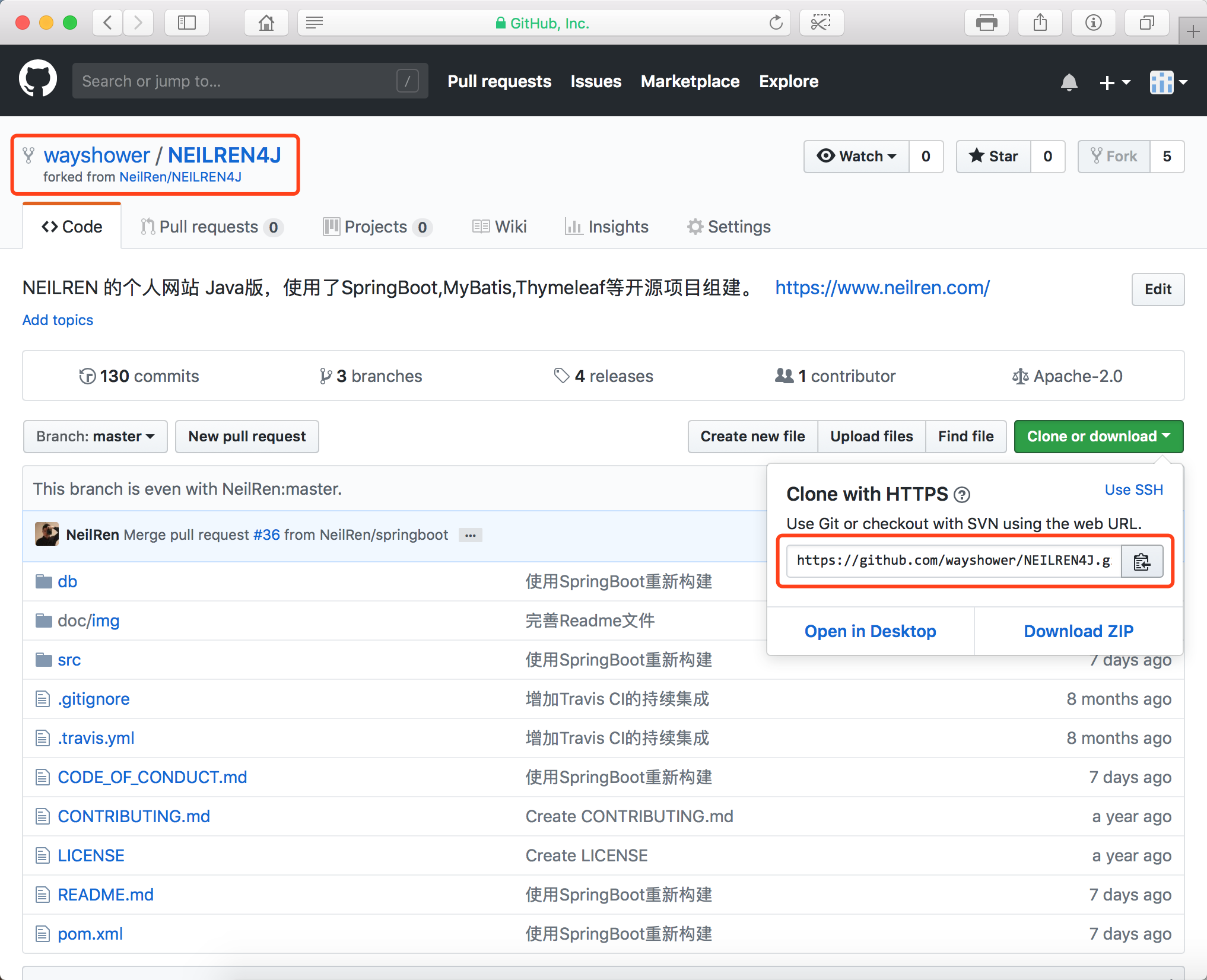
Fork the project into your own repo. Since it’s someone else’s project we have no direct edit rights, fork it to your repo first, modify your copy, and commit/push to your repo. When modifying, if there’s a CODE_OF_CONDUCT.md, follow its coding rules.
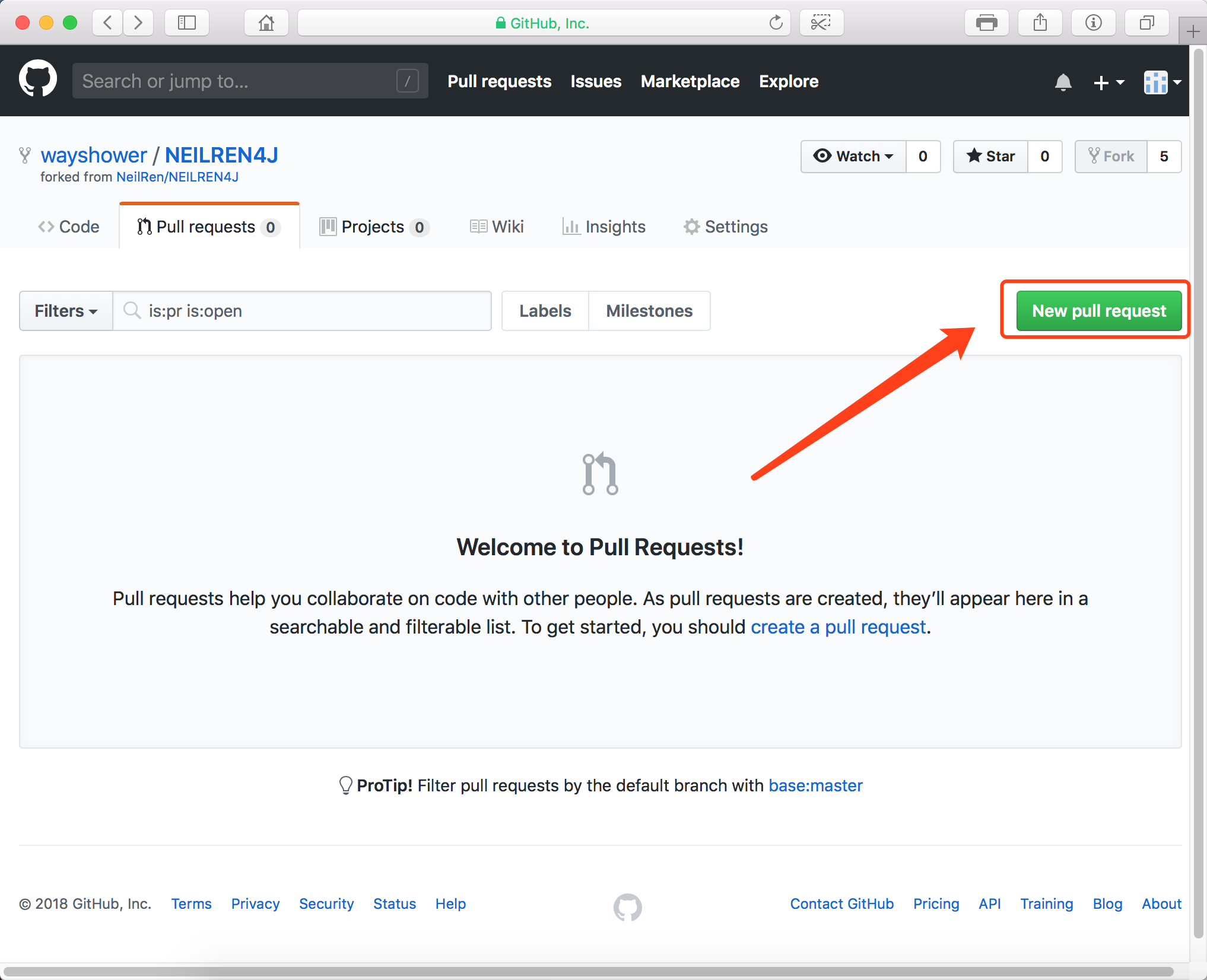
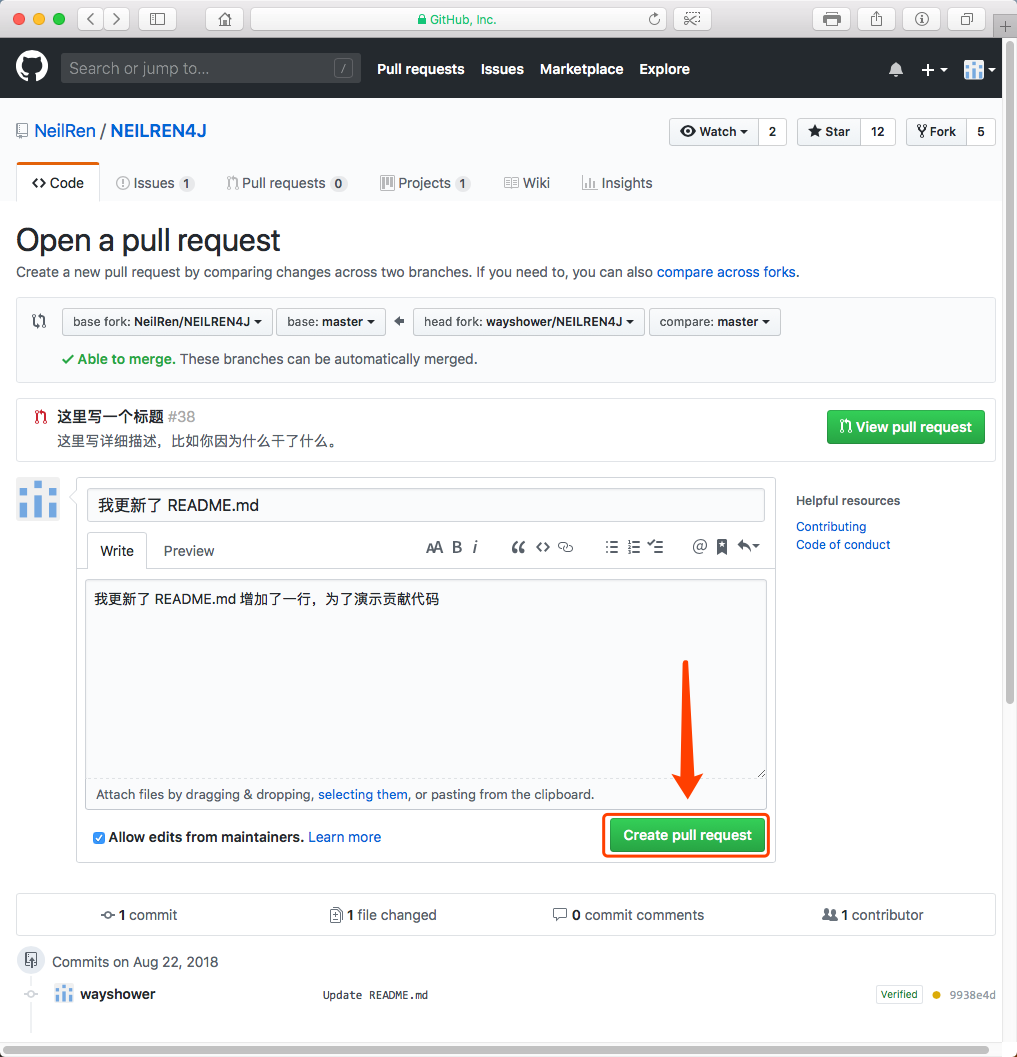
- Create a Pull Request. If there’s a PULL_REQUEST_TEMPLATE.md, create it per the template. Pick the right branch — some projects work on a development branch and you can’t submit directly to master; the maintainer can’t merge it, so follow local custom. Your modified branch must match their requirement. Then fill in the title and description per the template, click create, and wait for the project maintainer to review whether to merge your code.
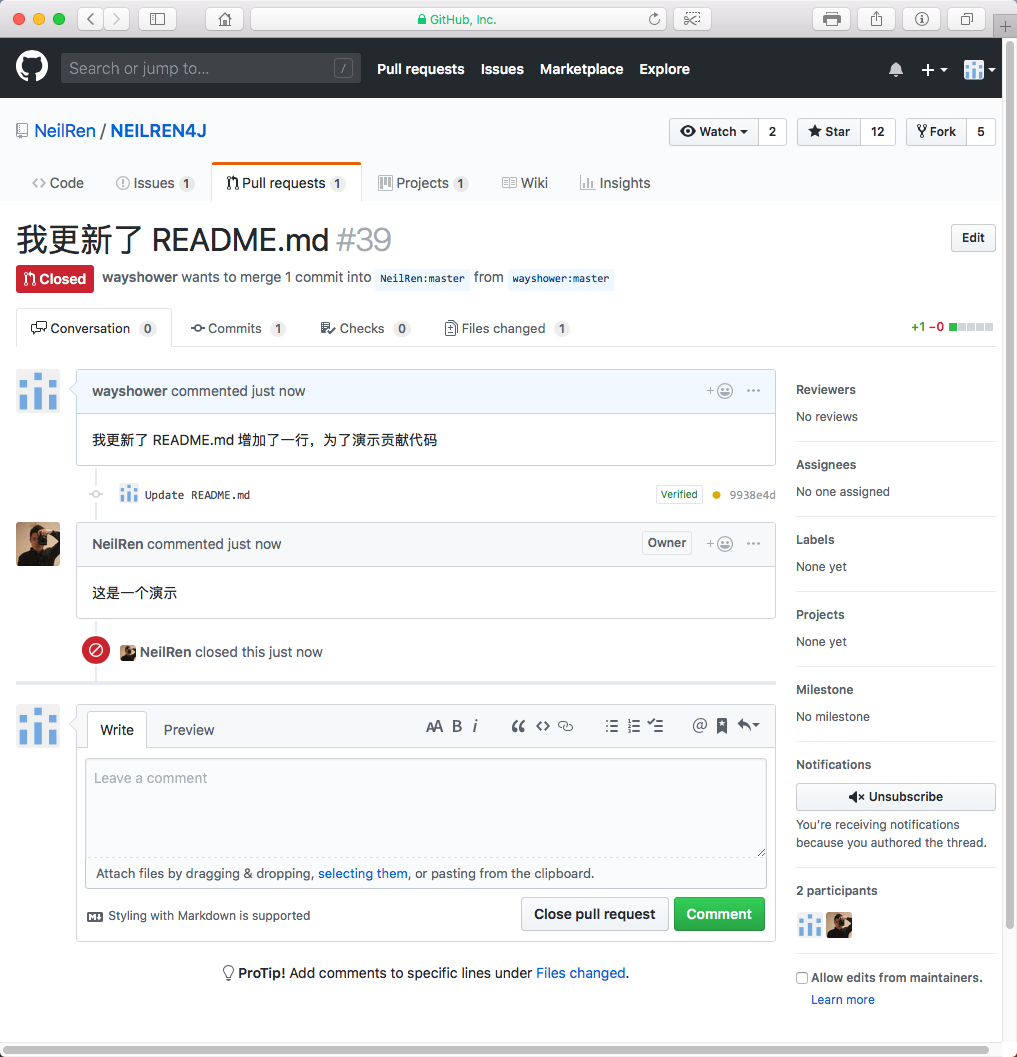
Also, an extra case: if your code has a bug or doesn’t follow the coding rules, the maintainer can’t merge it. Then you just modify your repo’s code per the maintainer’s reply and commit/push — no need to repeat the whole flow above.