Tutorial index: Big Data for Beginners: tutorial series
Last time we could already drive ZooKeeper from code and learned about registering watchers. Time to try it out: this post walks through a simple hands-on example that watches a node for changes.
Writing a Hypothetical Server
First, a hypothetical server that registers itself with ZooKeeper as “online”. Since we’ll register several such “servers”, the server name comes from the main startup arguments:
public class DistributeDemo {
    private static final String CONNECT_STRING = "localhost:2181";
    private static final int SESSION_TIMEOUT = 2000;
    private static final String PARENT_NODE = "/servers";
    /**
     * The server side registers itself with ZooKeeper
     */
    public static class DistributeServer {
        private ZooKeeper zkClient = null;
        // Create a client connection to zk
        public void getConnect() throws IOException {
            zkClient = new ZooKeeper(CONNECT_STRING, SESSION_TIMEOUT, event -> System.out.println("DistributeServer default callback"));
        }
        // Register the server
        public void registServer(String hostname) throws Exception {
            String create = zkClient.create(PARENT_NODE + "/server", hostname.getBytes(), Ids.OPEN_ACL_UNSAFE, CreateMode.EPHEMERAL_SEQUENTIAL);
            System.out.println(hostname + " is online " + create);
        }
        // Business logic
        public void business(String hostname) throws Exception {
            System.out.println(hostname + " is working ...");
            Thread.sleep(Long.MAX_VALUE);
        }
        public static void main(String[] args) throws Exception {
            // Get the zk connection
            DistributeServer server = new DistributeServer();
            server.getConnect();
            Stat stat = server.zkClient.exists("/servers", false);
            if (stat == null) {
                server.zkClient.create("/servers", "".getBytes(), ZooDefs.Ids.OPEN_ACL_UNSAFE, CreateMode.PERSISTENT);
            }
            // Register server info over the zk connection. Several servers may register,
            // so the hostname comes from the arguments and we can run this multiple times
            server.registServer(args[0]);
            // Start the business logic
            server.business(args[0]);
        }
    }
}
Writing a Hypothetical Client
Now that servers can come online, let’s write a client that watches for them:
public class DistributeDemo {
    private static final String CONNECT_STRING = "localhost:2181";
    private static final int SESSION_TIMEOUT = 2000;
    private static final String PARENT_NODE = "/servers";
    public static class DistributeClient {
        private ZooKeeper zk = null;
        // Create a client connection to zk
        public void getConnect() throws IOException {
            zk = new ZooKeeper(CONNECT_STRING, SESSION_TIMEOUT, event -> {
                // Re-register the watcher
                try {
                    getServerList();
                } catch (Exception e) {
                    e.printStackTrace();
                }
            });
        }
        // Fetch the server list
        public void getServerList() throws Exception {
            // 1. Get child nodes and watch the parent node
            List<String> children = zk.getChildren(PARENT_NODE, true);
            // 2. Storage for server info
            ArrayList<String> servers = new ArrayList<>();
            // 3. Iterate every node and read its hostname
            for (String child : children) {
                byte[] data = zk.getData(PARENT_NODE + "/" + child, false, null);
                servers.add(new String(data));
            }
            // 4. Print the server list
            System.out.println(servers);
        }
        // Business logic
        public void business() throws Exception {
            System.out.println("client is working ...");
            Thread.sleep(Long.MAX_VALUE);
        }
        public static void main(String[] args) throws Exception {
            // 1. Get the zk connection
            DistributeClient client = new DistributeClient();
            client.getConnect();
            // 2. Read the children of /servers to build the server list
            client.getServerList();
            // 3. Start the business process
            client.business();
        }
    }
}
Running It
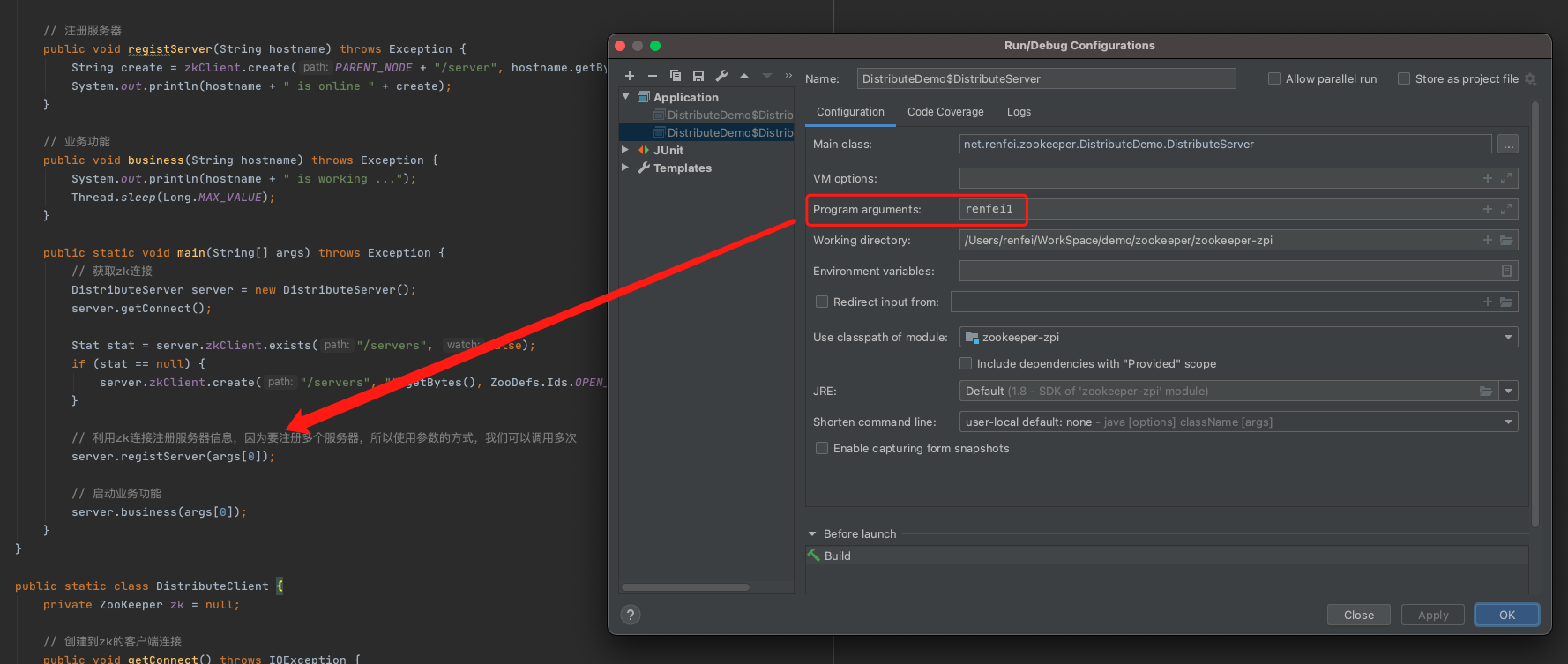
Start the server example first. Since the hostname comes in as a main argument, edit the run configuration to pass an argument to the program:
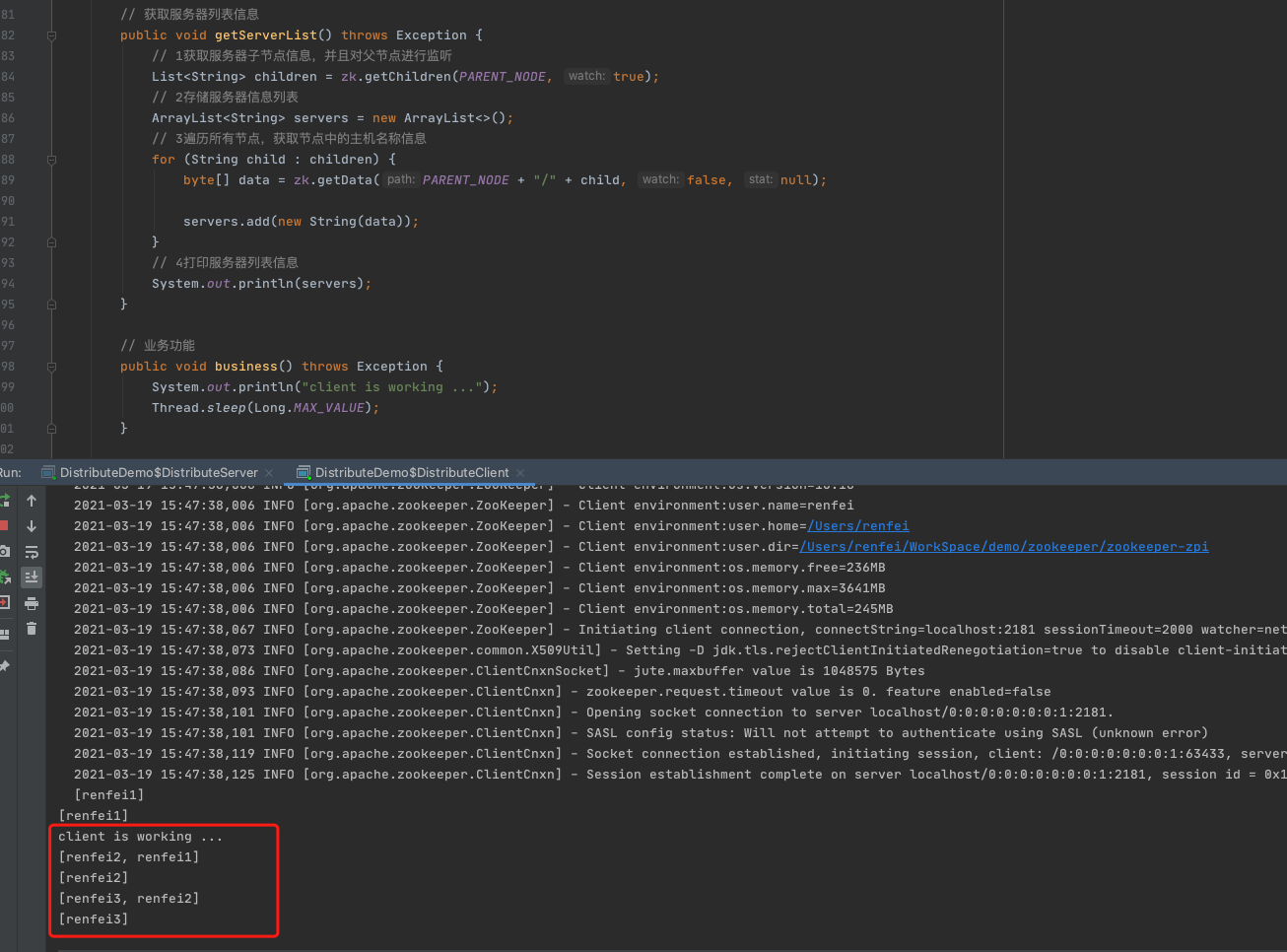
Then start the watcher client and it will track servers coming online. Start another server with a different argument — several times if you like — and watch the client pick each new server up: