
The commands in this article are run in a Linux environment; they may differ slightly on Windows.
This article is only a simple, non-technical introduction to domain resolution, not an in-depth study; it’s for reference only.
A few days ago I added a small tool: Dig+trace Domain Lookup Tool, which can be used for domain resolution diagnostics. Today I’ll share the resolution process and look into how it works. I assume you already know what a domain name is, so let’s start directly with the resolution process.
First, after the computer gets the domain name the user typed in, it queries a server — the DNS server set in our computer. DNS stands for Domain Name System, and every ISP provides a DNS server for users to resolve domain names. This article doesn’t cover DNS principles, only the resolution process, so let’s go straight to it.
Take www.renfei.net as an example. Split by the dot ”.”, it becomes:
.: root
net.: top-level domain
renfei.net.: first-level domain
www.renfei.net.: second-level domain
Resolution process:
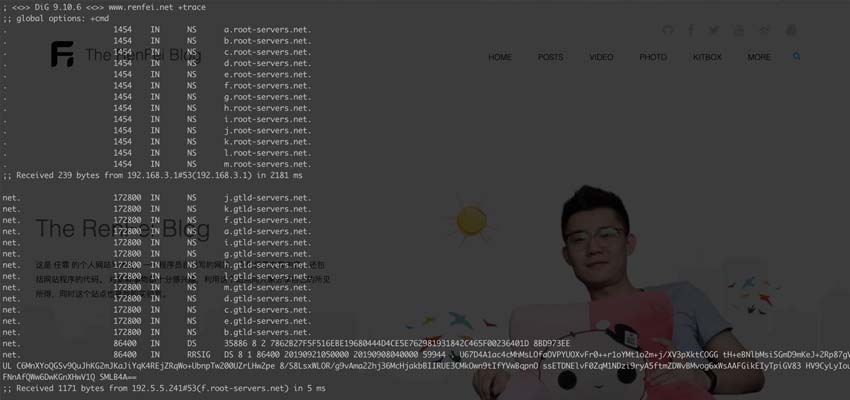
; <<>> DiG 9.10.6 <<>> www.renfei.net +trace
;; global options: +cmd
.			1454	IN	NS	a.root-servers.net.
.			1454	IN	NS	b.root-servers.net.
.			1454	IN	NS	c.root-servers.net.
.			1454	IN	NS	d.root-servers.net.
.			1454	IN	NS	e.root-servers.net.
.			1454	IN	NS	f.root-servers.net.
.			1454	IN	NS	g.root-servers.net.
.			1454	IN	NS	h.root-servers.net.
.			1454	IN	NS	i.root-servers.net.
.			1454	IN	NS	j.root-servers.net.
.			1454	IN	NS	k.root-servers.net.
.			1454	IN	NS	l.root-servers.net.
.			1454	IN	NS	m.root-servers.net.
;; Received 239 bytes from 192.168.3.1#53(192.168.3.1) in 2181 ms

net.			172800	IN	NS	j.gtld-servers.net.
net.			172800	IN	NS	k.gtld-servers.net.
net.			172800	IN	NS	f.gtld-servers.net.
net.			172800	IN	NS	a.gtld-servers.net.
net.			172800	IN	NS	i.gtld-servers.net.
net.			172800	IN	NS	g.gtld-servers.net.
net.			172800	IN	NS	h.gtld-servers.net.
net.			172800	IN	NS	l.gtld-servers.net.
net.			172800	IN	NS	m.gtld-servers.net.
net.			172800	IN	NS	d.gtld-servers.net.
net.			172800	IN	NS	c.gtld-servers.net.
net.			172800	IN	NS	e.gtld-servers.net.
net.			172800	IN	NS	b.gtld-servers.net.
net.			86400	IN	DS	35886 8 2 7862B27F5F516EBE19680444D4CE5E762981931842C465F00236401D 8BD973EE
net.			86400	IN	RRSIG	DS 8 1 86400 20190921050000 20190908040000 59944 . U67D4A1ac4cMhMsLOfaOVPYUOXvFr0++r1oYMt1o2m+j/XV3pXktCOGG tH+eBNlbMsiSGmD9mKeJ+2Rp87gVm4vLO6tDMiqS9YRp7Z5IsojcdqUL C6MnXYoQGSv9QuJhKG2mJKaJiYqK4REjZRqWo+UbnpTw200UZrLHw2pe 8/S8LsxWLOR/g9vAma22hj36McHjakbBIIRUE3CMkOwn9tIfYVwBqpnO ssETDNElvF0ZqM1NDzi9ryA5ftmZDWvBMvog6xWsAAFGikEIyTpiGV83 HV9CyLyIouDD1dpVKzh7bK4AdkHfQ5BNNR01FNnAfQWw6DwKGnXHwV1Q SMLB4A==
;; Received 1171 bytes from 192.5.5.241#53(f.root-servers.net) in 5 ms

renfei.net.		172800	IN	NS	elsa.ns.cloudflare.com.
renfei.net.		172800	IN	NS	ian.ns.cloudflare.com.
renfei.net.		172800	IN	NS	jack.ns.cloudflare.com.
renfei.net.		172800	IN	NS	kim.ns.cloudflare.com.
renfei.net.		172800	IN	NS	lee.ns.cloudflare.com.
renfei.net.		172800	IN	NS	todd.ns.cloudflare.com.
renfei.net.		172800	IN	NS	tom.ns.cloudflare.com.
renfei.net.		172800	IN	NS	will.ns.cloudflare.com.
renfei.net.		172800	IN	NS	coco.ns.cloudflare.com.
renfei.net.		172800	IN	NS	mary.ns.cloudflare.com.
renfei.net.		172800	IN	NS	albert.ns.cloudflare.com.
renfei.net.		172800	IN	NS	peyton.ns.cloudflare.com.
renfei.net.		172800	IN	NS	robin.ns.cloudflare.com.
renfei.net.		86400	IN	DS	2371 13 2 AB869C32F05DF68F733BC57F2B5993A5CD00566A6C4CAD102A9CD36C 3F9A2F9A
renfei.net.		86400	IN	RRSIG	DS 8 2 86400 20190912095909 20190905084909 59540 net. E5YYPNXrbiCLEj/yQY1BjylrPMdhKj2r60GM6xExVjpyBGMA6cshXhZT wHsEtgEHMoXRCLw9zMREM37vzeDIGUP2VkiIQkM57BzPQutoOyqB/Eyf 32DNnT956MD+De7sFZB8qcpHDNTYNf7qr0pN2w3f4pl8RSzjEW0iNe+s ffsJ4iVUJ1LQ++q1kDlucghh7sab54VduGjaE5LWyEQPAA==
;; Received 551 bytes from 2001:502:1ca1::30#53(e.gtld-servers.net) in 201 ms

www.renfei.net.		43200	IN	A	104.18.60.69
www.renfei.net.		43200	IN	RRSIG	A 13 3 43200 20190909122105 20190907102105 34505 renfei.net. yAj+eHswgX/Ltevl3iHhYZTD5jKG742yVltIoX3KilobjWz2mHjY/dPw iWGPt381JqwGWXuG+Yo/70n4MpsZ/A==
;; Received 191 bytes from 173.245.59.118#53(ian.ns.cloudflare.com) in 199 ms
Step 1: Find the Root Name Servers
From the Dig+trace output we see it first queries the NS records of the root ”.”. NS stands for NameServer. The root name servers are fixed at 13 in total, labeled a through m. This is because early DNS responses were 512-byte UDP packets, which can hold at most 13 server addresses — so the world settled on 13 root name servers, named a.root-servers.net through m.root-servers.net.
After getting the 13 root servers, pick one at random.
Step 2: Find the net. Name Servers
With the root server address from the previous step, we ask the root server for the NS records of net. Here f.root-servers.net answered in 5 ms, and we get the servers from a.gtld-servers.net through m.gtld-servers.net.
Step 3: Find the renfei.net. Name Servers
With the net. server address, we ask the net. server for the NS records of renfei.net. Here e.gtld-servers.net answered in 201 ms, returning a set of NS servers. At the renfei.net. level the domain is one the user registered, so we can define our own NS servers.
Step 4: Find the Records of www.renfei.net.
With the renfei.net. server address, we ask it for the records of www.renfei.net. Here ian.ns.cloudflare.com answered with an A record whose value is 104.18.60.69 — and that’s the final IP address. The resolution process ends.
Side Note: Who Manages the All-Important Root Servers?
Of these 13 root name servers, named A through M, 10 are in the United States, and one each is in the UK, Sweden, and Japan.
One is the primary root server, located in the US. The other 12 are secondary root servers: 9 in the US, 2 in Europe (UK and Sweden), and 1 in Asia (Japan).
All root servers are managed by ICANN, the Internet Corporation for Assigned Names and Numbers, authorized by the US government, which is responsible for the global root servers, the domain name system, and IP address management.
Before 2010-03-16, mainland China had F, I, and J root DNS mirrors, but for certain discordant reasons the I-root mirror in mainland China once had its route announcement withdrawn. Today, mainland China serves 6 DNS mirrors across the F, I, J, and L roots (L has three mirrors).