

The JH GitLab JIHULAB 101 creator camp has several prizes, including the Most Diligent Little Bee award (a DJI RoboMaster S1). The criterion: the top 3 authors by number of posts win.
This event runs on the JH GitLab SaaS platform, where you submit Issues to take part. Once an issue passes review, an admin labels it 101::DONE. I started wondering how to count how many each person passed, so I could tell early whether I’d won the Most Diligent Little Bee award.
Official or Self-Hosted
If you can get at the database, just grab a programmer — one SQL statement settles it.
Approach 1: Export to a Database and Use SQL or Excel
My easiest route: import into a database and let the database engine do the counting with SQL. JH GitLab has an export button that dumps CSV directly; then use a database tool to import. That part is simple enough to skip the tutorial.
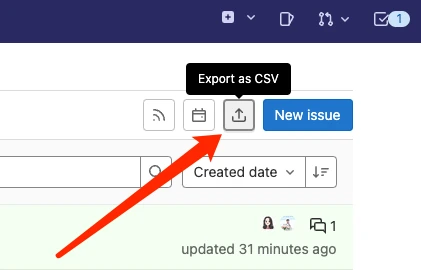
Then one SQL statement does it:
SELECT
    author_username,
    COUNT( 1 ) AS cnt
FROM
    a_jhlab101
WHERE
    labels LIKE '%DONE%'
GROUP BY
    author_username
ORDER BY
    cnt DESC
Or, if you know Excel well, just open the CSV and tally there. I’m not much of an Excel person, so I won’t demonstrate — but I know it works.
Approach 2: Query Through the API
JH GitLab has a thorough API that can do nearly anything you want. If counting is a recurring task, writing a program to do it repeatedly is more convenient.
First we need to know who submitted issues, so query the issues endpoint to get author usernames: https://jihulab.com/api/v4/projects/16944/issues
Mind the pagination. Once you have the author usernames, dedupe them into a list, then call the statistics endpoint: https://jihulab.com/api/v4/projects/16944/issues_statistics?labels=101::DONE&author_username=renfei
I pass two parameters here — username and label — and that gives me each username’s total.
Got a better idea? Leave a comment.