
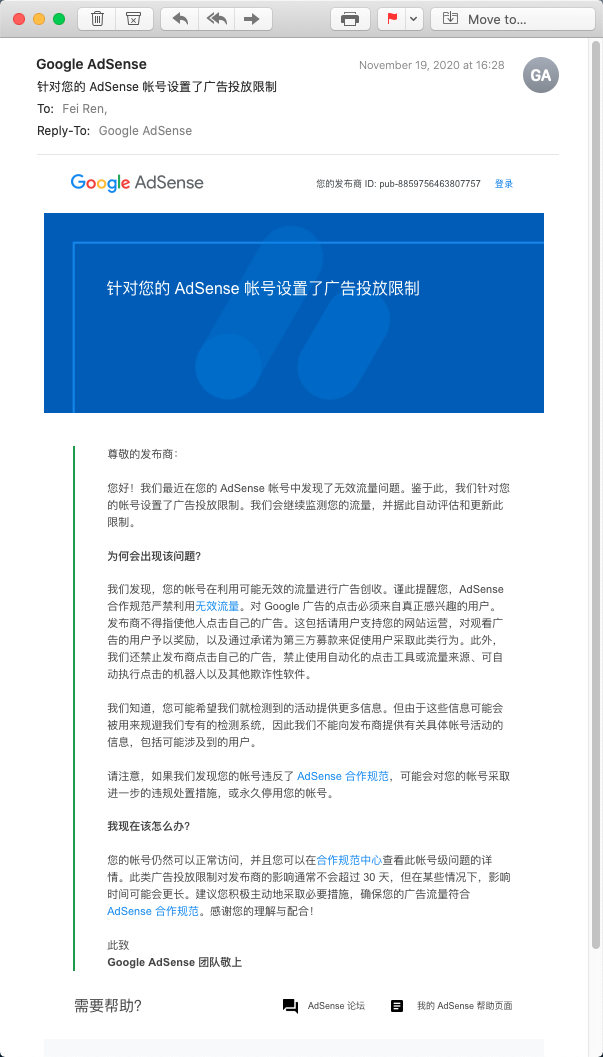
On November 19 my site’s ads suddenly went blank and I received a Google AdSense email titled “An ad serving limit has been placed on your AdSense account”. It was fully restored on December 14.
An Ad Serving Limit Has Been Placed on Your AdSense Account
Fellow webmasters: this “ad serving limit” is applied at the AdSense account level, which means every site under your account gets limited ad serving. The impact is significant, and you’ll probably be eager to appeal — I was too. I knew I hadn’t clicked my own ads or asked anyone to click them; I was clean, so it had to be a system error, and I wanted to appeal. Don’t bother. I looked many times: there is no appeal entry point. Even if you raise it in the community, other users just hand you the same boilerplate official documentation, which reads as follows:
What is invalid traffic?
Any clicks or impressions that could artificially inflate an advertiser’s costs or a publisher’s earnings count as invalid traffic. That includes deliberately fraudulent traffic as well as accidental clicks.
Invalid traffic includes but is not limited to:
Clicks or impressions generated by a publisher clicking their own live ads
Repeated ad clicks or impressions by one or more users
Publishers encouraging users to click their ads (for example: any language encouraging users to click ads, or ad implementations that may lead to a large number of accidental clicks)
Automated clicking tools or traffic sources, robots, or other deceptive software.
Clicks on Google ads must come from users genuinely interested in them; our policies prohibit artificially inflating clicks or impressions in any way. If we detect significant invalid traffic in your account, we may suspend or disable that account to protect our advertisers and users. Additionally, if we cannot verify the quality of your traffic, we may limit or stop serving ads on your site. Invalid traffic may also cause your estimated earnings and final earnings to differ.
We understand that a third party may deliberately generate invalid traffic on your ads without your permission or knowledge. Ultimately, though, ensuring the traffic your ads generate is valid is the publisher’s responsibility. We therefore strongly recommend reading our tips on preventing invalid traffic.
Tips for preventing invalid traffic on your ads
- Understand your ad traffic and your site visitors
Use URL channels, custom channels, or ad units to effectively segment your traffic in reports. This helps you measure how changes in traffic sources or ad implementations affect your ad traffic.
You can also use Google Analytics to learn more about your site visitors and spot suspicious user behavior. (Which geographic or network location are users coming from? Which pages are they viewing on my site?)
- Don’t work with third parties of poor reputation or service quality
Some publishers partner with disreputable ad networks, search engines, or directory sites to drive traffic, and end up with invalid traffic problems as a result.
- Don’t click your own ads, even if you think it won’t matter
Even if you’re interested in an ad or want to see its landing page, please don’t click your own ads. Note that while we filter out your clicks on your own ads, we don’t ignore them entirely. If we believe a publisher is repeatedly clicking their own ads to increase their earnings or advertisers’ costs, we may disable the account to protect advertisers.
- Double-check your ad implementation
Some publishers do custom implementations that can have unintended consequences for their ad requests. Make sure your implementation complies with our ad placement policies and has no programming errors. Also check your ads across different browsers and platforms to make sure they behave as you expect.
- Ask for help in the AdSense Help Forum
Other publishers may have run into the same problem, so join the relevant discussions to learn more, or start one yourself. If you encounter a third party or situation that may cause invalid traffic, let others know.
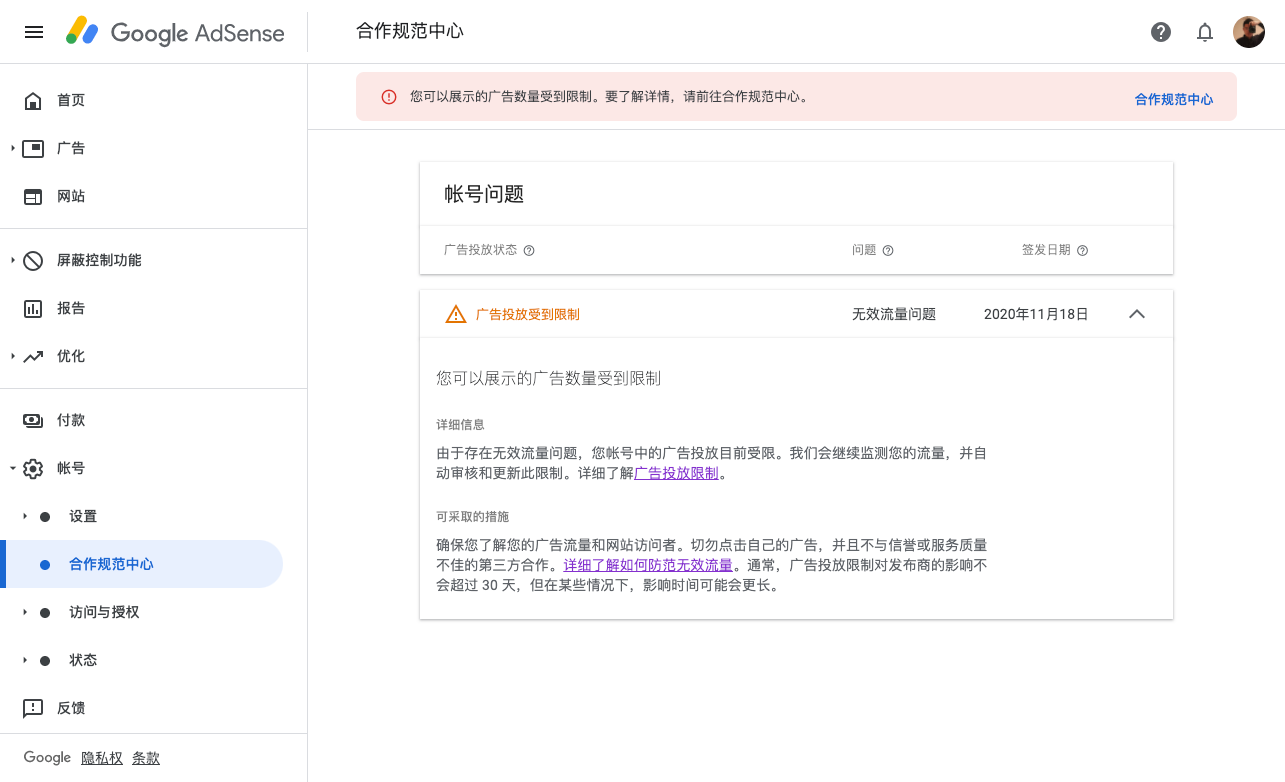
Analyzing the Invalid Traffic
After trying everything and finding no way to appeal, I went looking for the cause myself. Webmasters: link Google Analytics! Link Google Analytics! Link Google Analytics! It’s important enough to say three times.
In Google Analytics, go to Reports → Behavior → Publishers and pick “Publisher Pages”. From there you can add a “Secondary dimension” to analyze where the problem is — whether some page is being maliciously clicked, or whether some city is the issue. I searched and searched, and when I broke it down by source and filtered, I saw this:
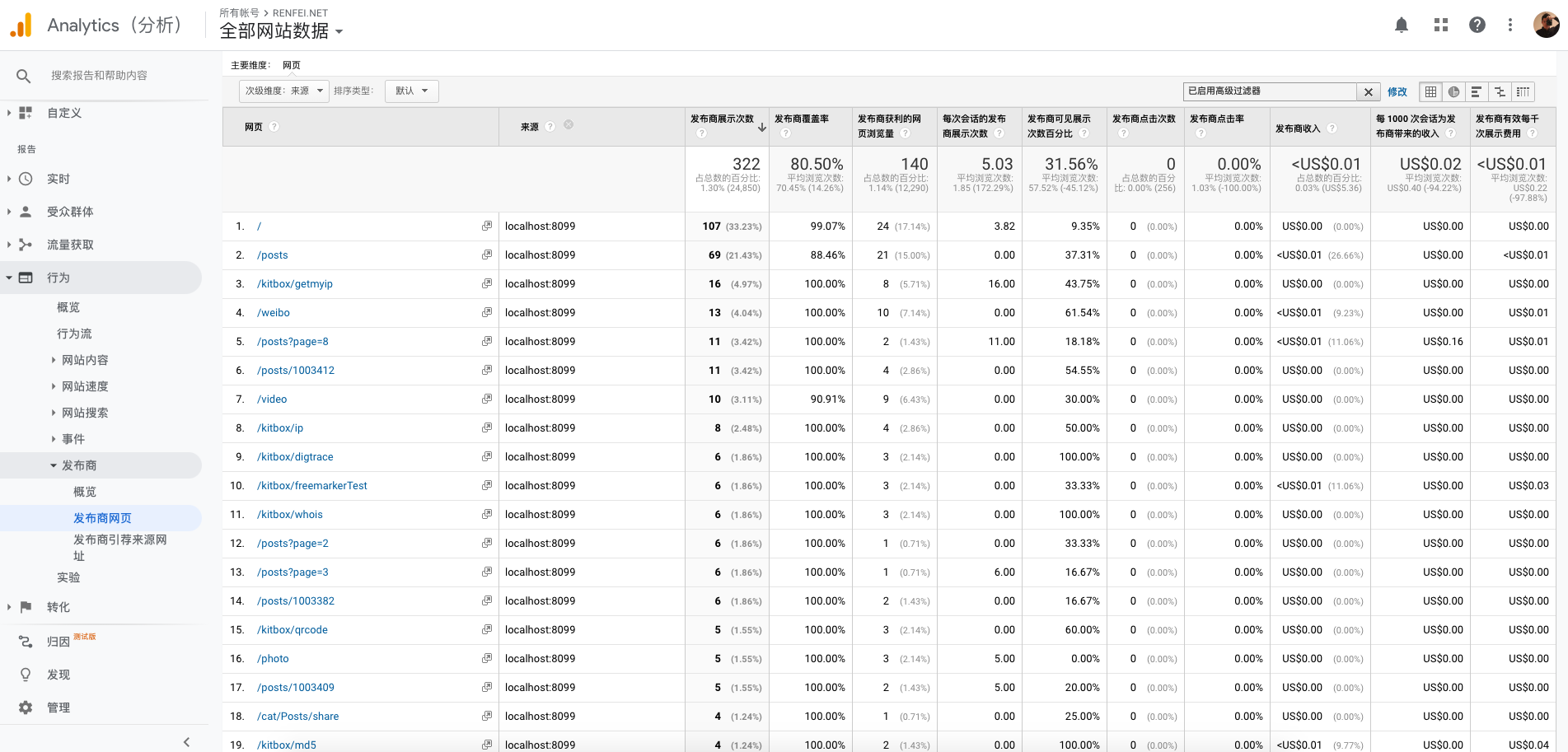
Yes, you read that right — the source was localhost:8099, the address of my local development environment. That’s when it clicked: I was loading the Google AdSense ad code normally while developing and debugging locally, which generated a large volume of invalid ad traffic during my own local testing. Google’s monitoring really is that good.
Summary
Fellow webmasters, if you hit “invalid traffic”, don’t panic — this isn’t serious enough to get your account banned. And don’t bother appealing or asking why: the cheat-detection mechanism is secret, deliberately, so that nobody can engineer around it. They are 10,000% not going to tell you what triggered it. You have to find your own cause, which is exactly why you must link Google Analytics — it makes the analysis much easier.
Once you’ve fixed the problem, just wait. The system re-evaluates traffic automatically for invalid-traffic issues, and if everything looks normal your account’s privileges are restored within about 30 days. All of it is decided automatically.