
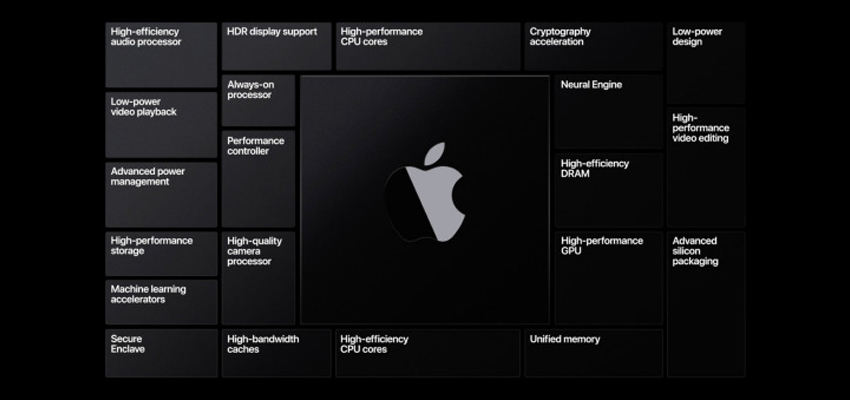
After the WWDC conference a few days ago, Apple decided to drop Intel and use its self-designed ARM-based CPU. This also means the new Macs can’t install Windows, and Microsoft refused to provide Windows 10 for ARM for the ARM-based Mac.
To help developers migrate their apps, Apple provides the Rosetta 2 tool, which can translate programs based on the Intel x86_64 architecture to the Apple Silicon platform. But virtualization software that simulates a Windows environment is not supported by Rosetta 2, such as Parallels and VMWare.
Rosetta 2 Also Doesn’t Support Kernel Extensions
Rosetta 2 also doesn’t translate kernel extensions. Today’s most popular Windows/macOS dual-boot tool on Mac, Boot Camp, is likewise killed off on Apple Silicon Macs.
According to Apple, the efficiency of x86 programs translated by Rosetta 2 can’t match native apps, so it seems Parallels and VMWare developers must make native adaptations for ARM.
macOS Big Sur Given Version Number 11.0
Apple’s macOS system, starting from MAC OS X V10.0 released in 2001, kept the version number 10 all the way until today in 2020. Tech companies seem generally attached to the number 10 — like Windows 10, which no matter how it updates is still called 10.
This year’s latest macOS Big Sur was given version number 11.0, meaning the system has changed dramatically. Perhaps it’s also because it needs to support its own ARM-based CPU, so the version number was upgraded. But if your Mac is for production use, I still don’t recommend updating to the latest — a major version change also comes with a bunch of compatibility issues with old apps. Maybe the apps you use every day haven’t been adapted to the latest system yet, stalling your production, so try it on a virtual machine or a spare machine.
List of Models Supporting macOS 11 Big Sur
- MacBook 2015 and later
- MacBook Air 2013 and later
- MacBook Pro 2013 and later
- Mac mini 2014 and later
- iMac 2014 and later
- iMac Pro 2017 and later
- Mac Pro 2013 and later