

This tutorial walks you through creating a custom Apache NiFi Processor project and writing your own processor to handle FlowFiles. Source code: https://github.com/renfei/demo/tree/master/nifi/nifi-custom-bundle
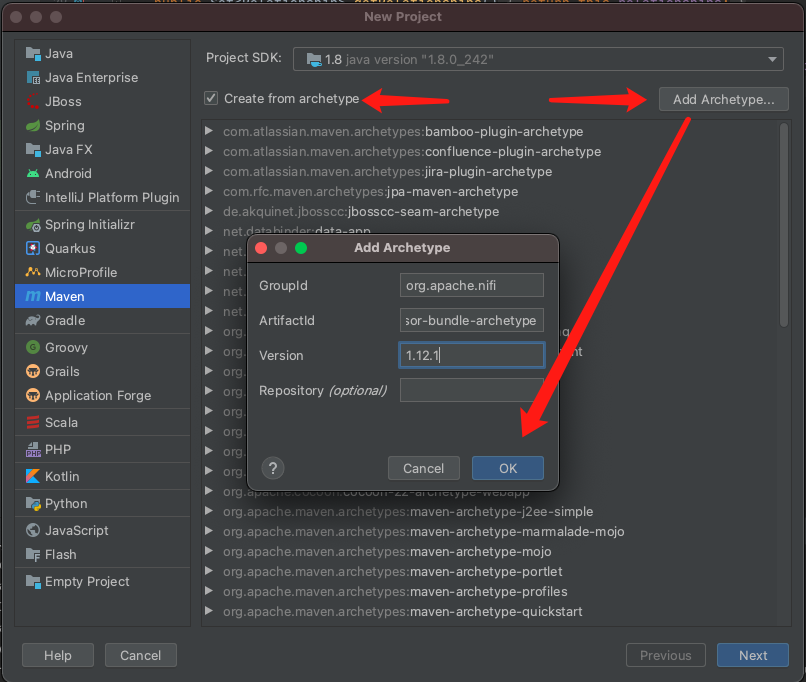
Add Archetype
Create a new Maven project, check “Create from archetype”, then click Add Archetype and add:
- GroupId:
org.apache.nifi - ArtifactId:
nifi-processor-bundle-archetype - Version: your NiFi version
Create the Project
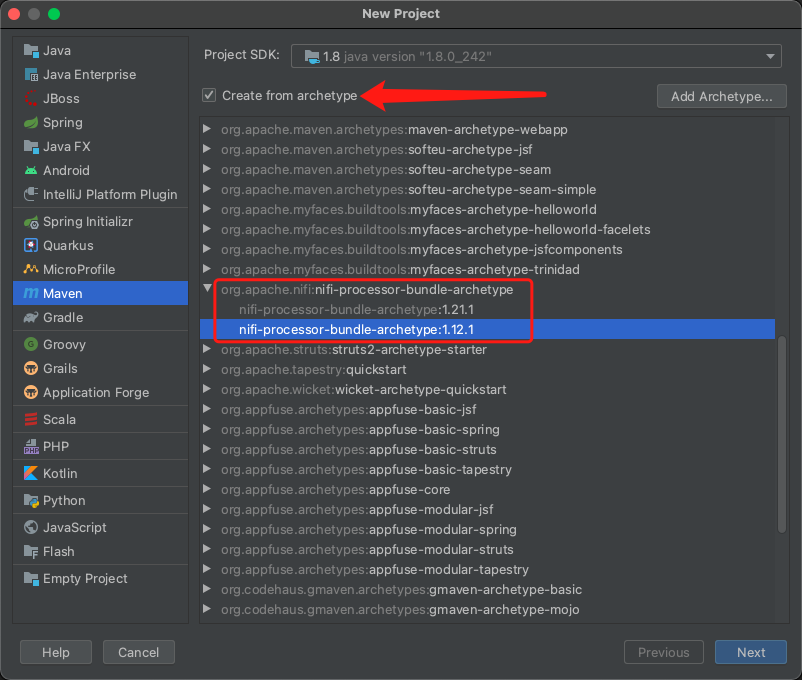
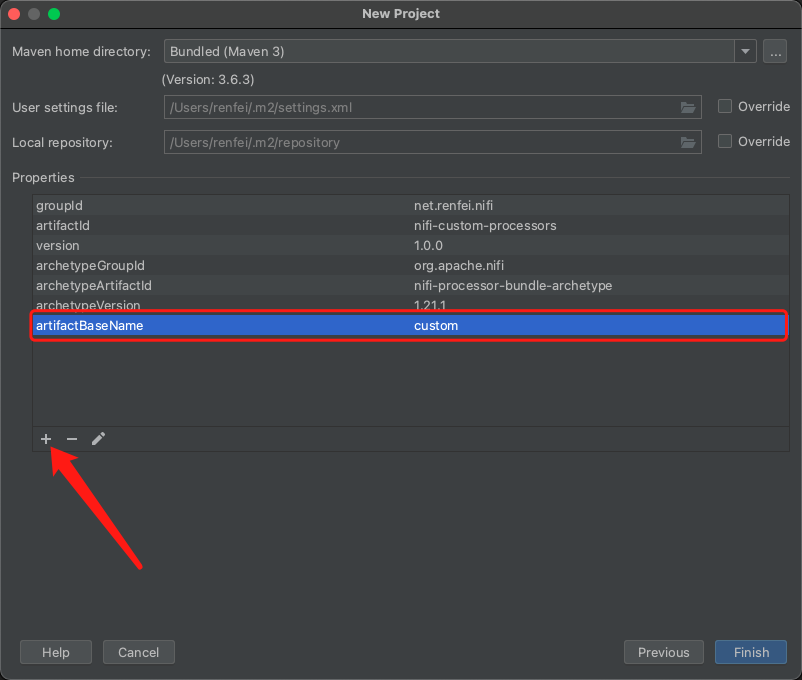
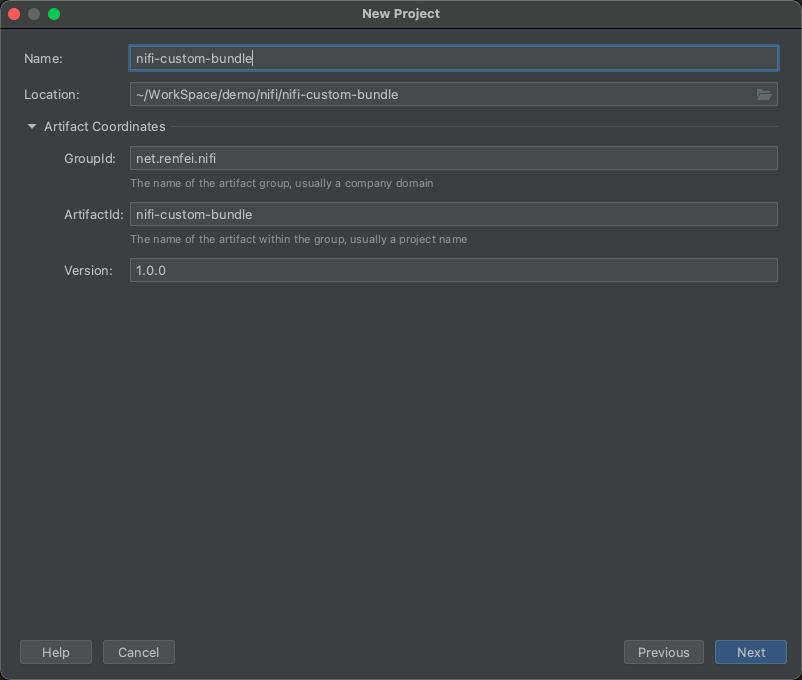
Select nifi-processor-bundle-archetype, then fill in the project name, package name and version. Under Properties you need to add a Maven property:
- Name:
artifactBaseName - Value: your component name — mine is
custom
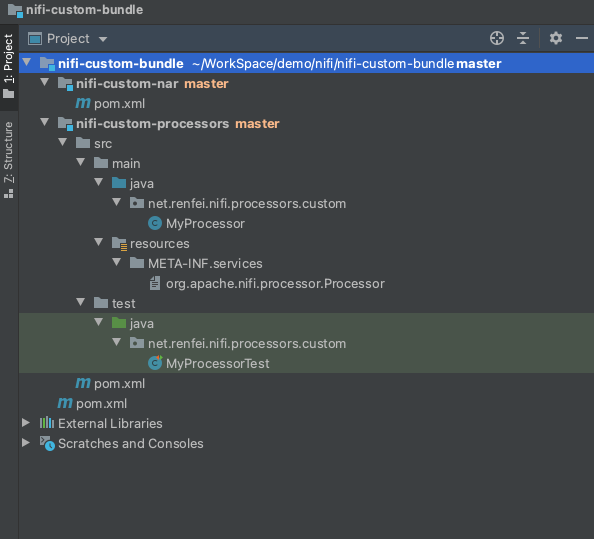
Wait for the build to finish and you’ll get this project structure:
Project Structure
nifi-custom-nar is NiFi’s nar package project — you can ignore it. It depends on the nifi-custom-processors module, as you can see in its pom.
src/main/java/net/renfei/nifi/processors/custom/MyProcessor.java is our Processor; that’s where our code goes.
src/main/resources/META-INF/services/org.apache.nifi.processor.Processor acts as a registration list — every processor must be listed there or you’ll get errors.
src/test/java/net/renfei/nifi/processors/custom/MyProcessorTest.java holds unit tests, which can exercise our Processor directly without NiFi running.
About the Development Work
NiFi runs in a highly concurrent environment and demands multithreading experience — handled badly, you can cause problems or even exhaust memory. Since I can’t yet be 100% sure my data handling is correct, I’ve left the actual development code out for now.
I’m still learning: I want to review concurrent programming and the JVM heap structure and memory model once more before I start coding.