
Why can’t you use double/float for transactions and financial currency in Java? In daily use, floating-point calculations with double/float often produce unexpected results, because binary can’t precisely represent most decimal fractions. Today we’ll discuss how to do decimal calculations correctly in Java.
Look at the Example First
We define two float variables: one is 1.0 - 0.9, which we expect to be 0.1; the other is 0.9 - 0.8, which we also expect to be 0.1. Then we print and compare these two numbers:
float a = 1.0F - 0.9F;
float b = 0.9F - 0.8F;
System.out.println("a: " + a);
System.out.println("b: " + b);
System.out.println("a == b: " + (a == b));
Float x = a;
Float y = b;
System.out.println("x.equals(y): " + x.equals(y));
The result is:
a: 0.100000024
b: 0.099999964
a == b: false
x.equals(y): false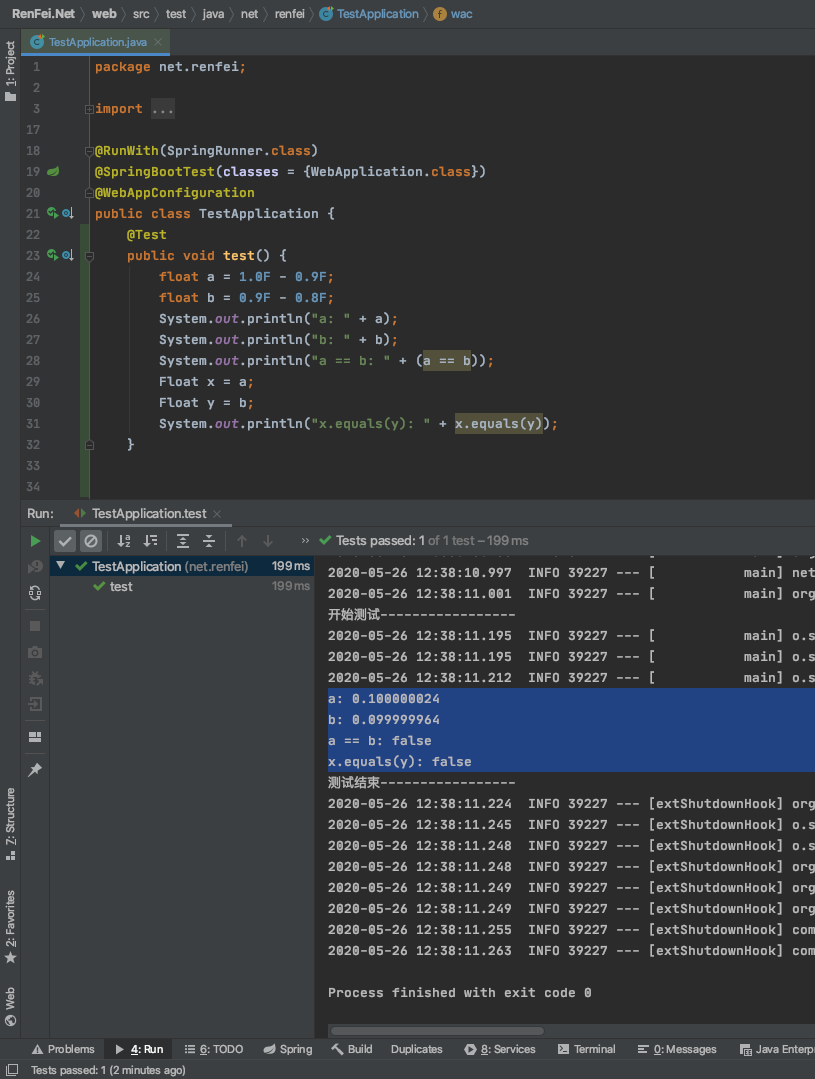
Isn’t that beyond your expectations? In the binary world, decimals can’t be represented well, because when converting a decimal fraction to binary you run a division, and some divisions never terminate, causing precision loss.
Solving It with BigDecimal
Java provides the huge BigDecimal class to store floating-point values; using it handles the binary error problem. We use BigDecimal to rewrite the calculation logic above:
BigDecimal a = new BigDecimal("1.0");
BigDecimal b = new BigDecimal("0.9");
BigDecimal c = new BigDecimal("0.8");
BigDecimal x = a.subtract(b); // 1.0 - 0.9
BigDecimal y = b.subtract(c); // 0.9 - 0.8
System.out.println("x == y: " + (x == y)); // BigDecimal is an object, so you can't compare with == directly
System.out.println("x.equals(y): " + x.equals(y));
The result is:
x == y: false
x.equals(y): true
Things to Watch with BigDecimal
Because of precision loss, when using new BigDecimal() you can only use the constructor that takes a String argument, or use BigDecimal.valueOf(). That’s because BigDecimal.valueOf() calls Double.toString() internally, truncating the mantissa according to double’s actual representational ability. Let’s look at the JDK source:
public static BigDecimal valueOf(double val) {
    // Reminder: a zero double returns '0.0', so we cannot fastpath
    // to use the constant ZERO.  This might be important enough to
    // justify a factory approach, a cache, or a few private
    // constants, later.
    return new BigDecimal(Double.toString(val));
}