
For a video walkthrough, see: “Verifying File Stream Access with getInputStream Inside a Spring Boot JAR”
When reading an email template, ClassPathResource worked fine in local tests, but once packaged as a JAR and uploaded to the server it couldn’t be fetched. The error: class path resource [xxxx] cannot be resolved to absolute file path because it does not reside in the file system: jar:file:xxxx.jar!/BOOT-INF/classes!xxxx. Enough talk — here’s the correct approach: use PathMatchingResourcePatternResolver.
String txt = "";
ResourcePatternResolver resolver = new PathMatchingResourcePatternResolver();
Resource[] resources = resolver.getResources("templates/layout/email.html");
Resource resource = resources[0];
// Get the file stream; inside a JAR we can't get the file via its path, but we can get the stream from within the JAR
InputStream stream = resource.getInputStream();
StringBuilder buffer = new StringBuilder();
byte[] bytes = new byte[1024];
try {
    for (int n; (n = stream.read(bytes)) != -1; ) {
        buffer.append(new String(bytes, 0, n));
    }
} catch (IOException e) {
    e.printStackTrace();
}
txt = buffer.toString();
If you just want the fix, you can skip what follows; if you’re curious about why, read on.
To satisfy my curiosity, let’s keep digging into what’s going on. First, the earlier code:
String txt = "";
Resource resource = new ClassPathResource("templates/layout/email.html");
txt = fileUtil.readfile(resource.getFile().getPath());
This is actually a well-known pitfall when publishing as a JAR — many people hit the file-reading problem, specifically the pitfall of getFile(). To understand what’s happening, I traced it: the returned address is a jar: protocol URL like jar:file:/xxx/xx.jar!/xxxx.

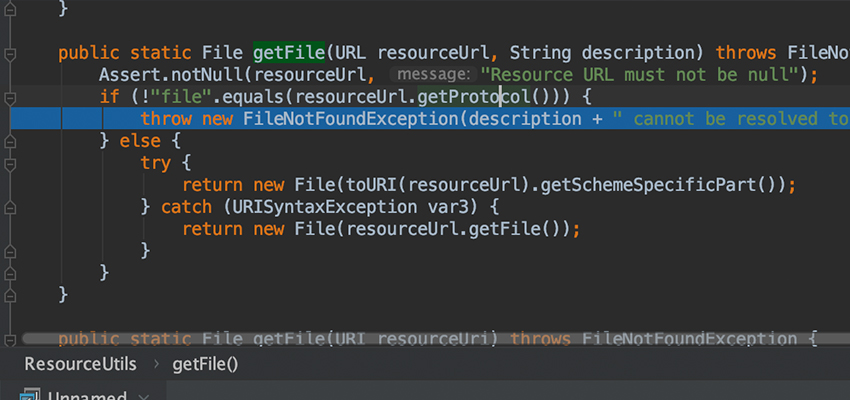
Tracing further into org.springframework.util.ResourceUtils#getFile(java.net.URL, java.lang.String), there’s this check:
public static File getFile(URL resourceUrl, String description) throws FileNotFoundException {
    Assert.notNull(resourceUrl, "Resource URL must not be null");
    if (!"file".equals(resourceUrl.getProtocol())) {
        throw new FileNotFoundException(description + " cannot be resolved to absolute file path because it does not reside in the file system: " + resourceUrl);
    } else {
        try {
            return new File(toURI(resourceUrl).getSchemeSpecificPart());
        } catch (URISyntaxException var3) {
            return new File(resourceUrl.getFile());
        }
    }
}
Because resourceUrl.getProtocol() is not file but jar, a FileNotFoundException is thrown.
ResourceUtils.getFile() is meant specifically for loading non-compressed and non-JAR file resources, so it never tries to load files inside a JAR. To load a file in a JAR, just use a method that can read JAR files — for example, xx.class.getClassLoader().getResourceAsStream(), which reads the file as a stream. So using a file stream is the way to get it.